How to log in to Details
To access details, you need:
- your details login URL
- your username
- your password
Your details administrator will create your user account and provide you with your username and login URL.
Find your details login
Each details database has its own login page. Your login URL will look something like this: https://app.details.eu/YOURCLIENTNAME/v2/#/main/login
If you don’t remember your login URL, you can find it here:
Find your details login
Enter your email address and follow the instructions.
First login
When logging in for the first time, you’ll need to create your password.
To do this, click RESET PASSWORD on your details login page.
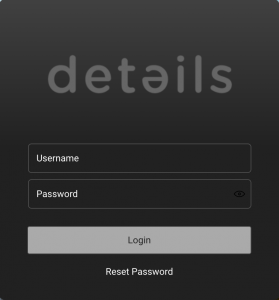
Enter your username or email address and you’ll receive an email with a secure link to create your password. Then follow the instructions in the email.
Once your password has been set, you can return to your details login page and log in with your username and new password.
For more information, see How to reset a password.
Your daily login
Once everything is set up, simply use your usual details login page and enter your username and password.
We recommend bookmarking the login page and saving your credentials securely in your browser or password manager so you can easily return to it.
If you forget your password, just use RESET PASSWORD on the login page to create a new one.