Overview of the BOOKING Tab – PROMOTERS
Author: detailsadmin
Booking – Venues
Overview of the BOOKING Tab – VENUES
Booking – Reports
Overview of the BOOKING Tab – REPORTS
Booking – FAQ
If you have suggestions on how we should improve our service and application, please let us know HERE!
How to select your standard email program for Firefox
The artist defaults don►t update in my contracts and itineraries … What can I do?
Why Travels or Local Details don►t appear in the Itinerary or App
How do I set the Email Notifications?
How do I enable the PayPal direct payment option?
Why are past dates removed from the Artists► iCal subscription?
How to link / integrate booking dates to webpages
Where do I find free dates for an artist?
RSS Feed: How do I link my confirmed dates to Gigatools or PushCast?
Why are past dates removed from the Artists► iCal subscription?
Why is my artist not displayed in the Request Form dropdown selection?
Can I change my templates on my own?
How do I update logos or other pictures in my templates?
How to set automatic due dates for Money Details
How to adapt the Booking Request form to your style
Request Forms vs. Questionaires
Auto Sync Problem in Google cal
How do I use the Custom task list?
How do I customize the Artist Offer email
Why do invoices not appear in the Money Details Report
How to add external Calendars to Details:
* From your Google Calendar
* From your current ICal subscriptions
* From your local ICal Calendar (on your computer)
How to add Details Calendars to:
* Google Calendars
* ICal Calendars
* to Details System (sharing artists with other agencies)
Updates:
Find more infos about our 02 2015 update here
I can►t log into details! a Checklist …
How to add external ICal calendars to Details
Follow these Steps to add external ICal calendars to Details (either ICal calendar suscriptions or local ICal):::From your current ICal suscriptions::
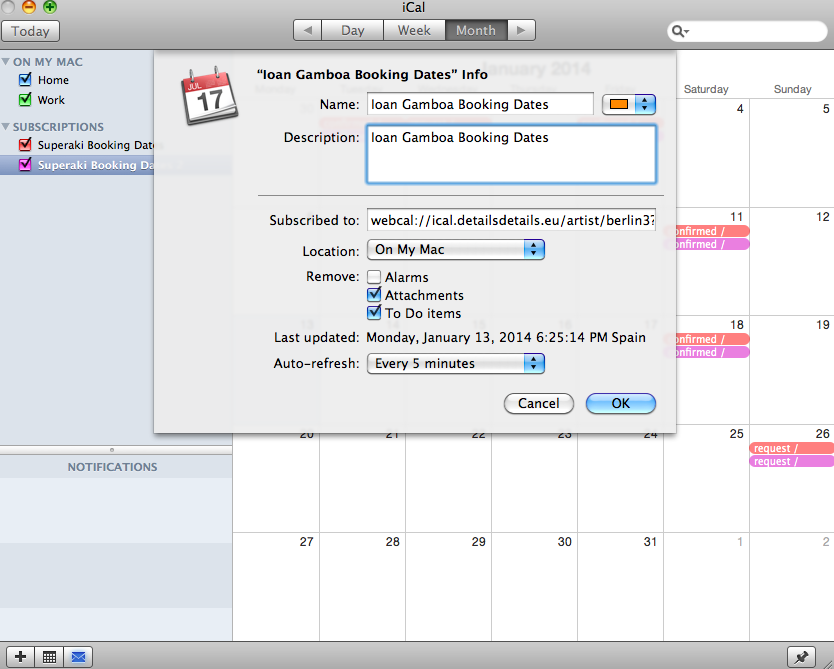
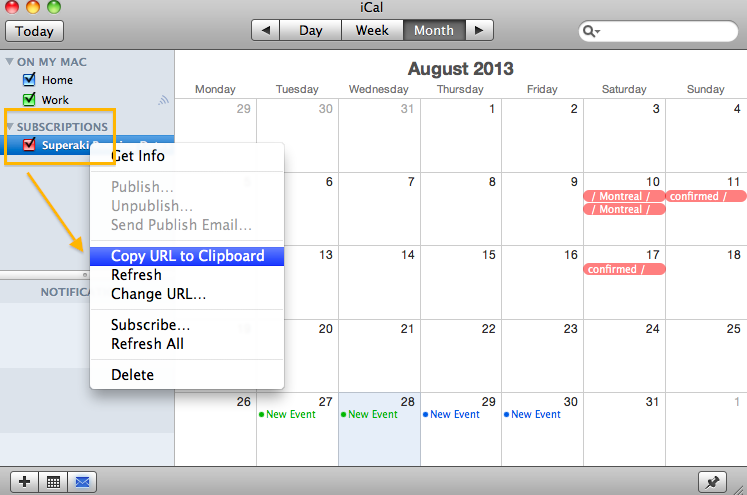
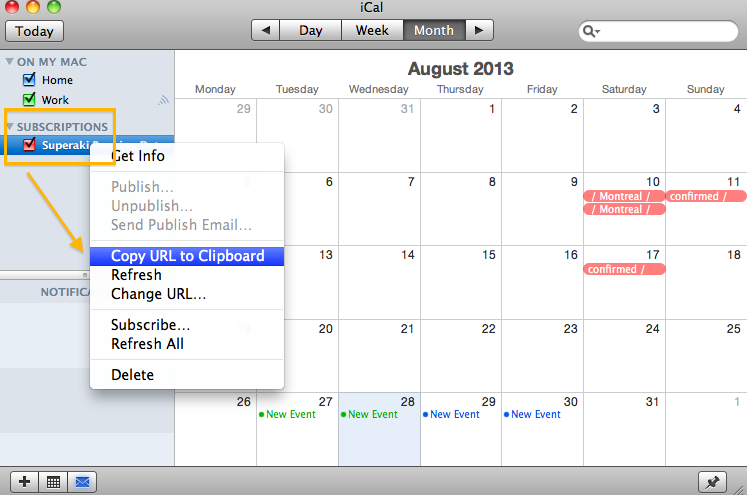
*Open your ICal – go to your current Calendar subscriptions on the left – choose one and click-right with the mouse to show the preferences – Choose: Copy URL to clipboard or ‘Get info’ to get the link
*Add this link to Details
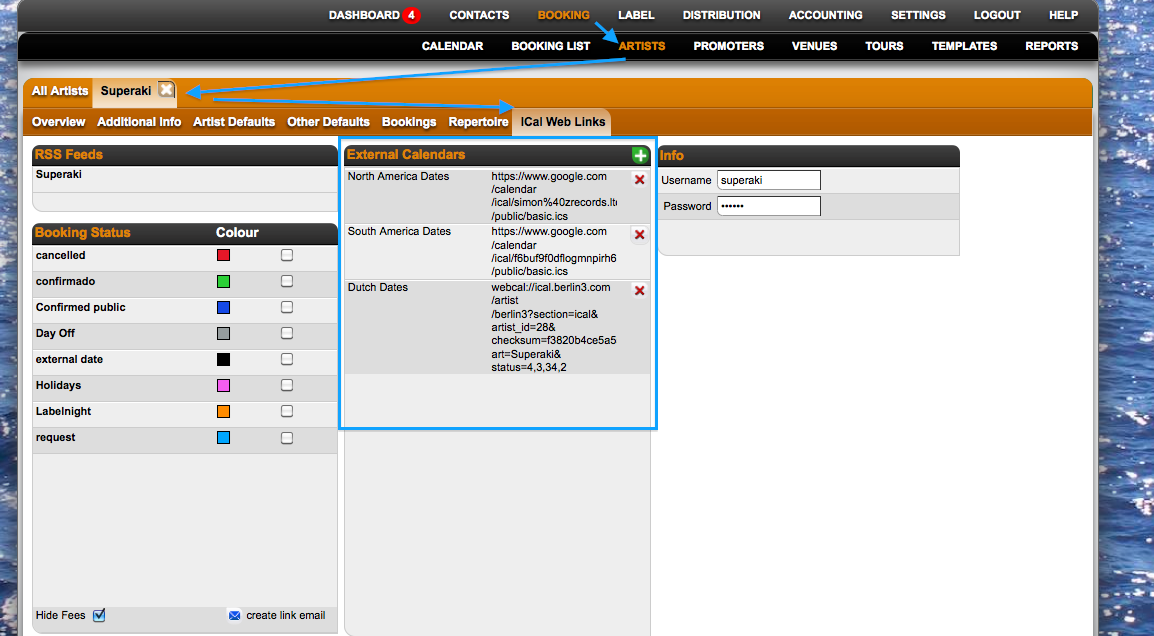
*You will see the external dates on Details: 24 hours later.
::From your local ICal Calendar in your computer::
*To add it on Details, first it needs to be published on an online server like: http://icalx.com/
*You need to create an account on Icalx.com
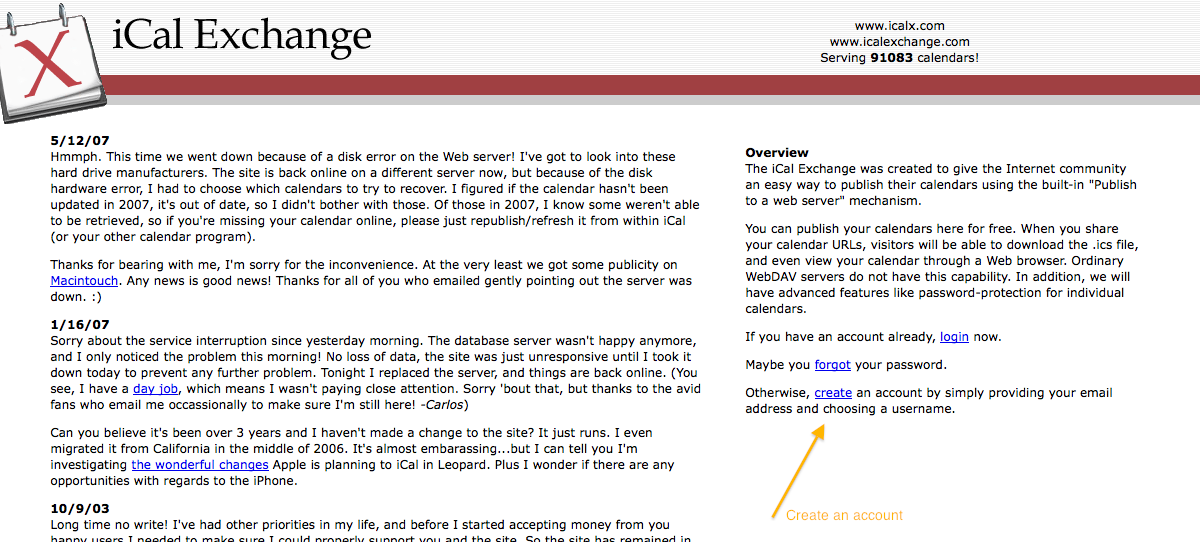
*Copy the public link that appears in Icalx
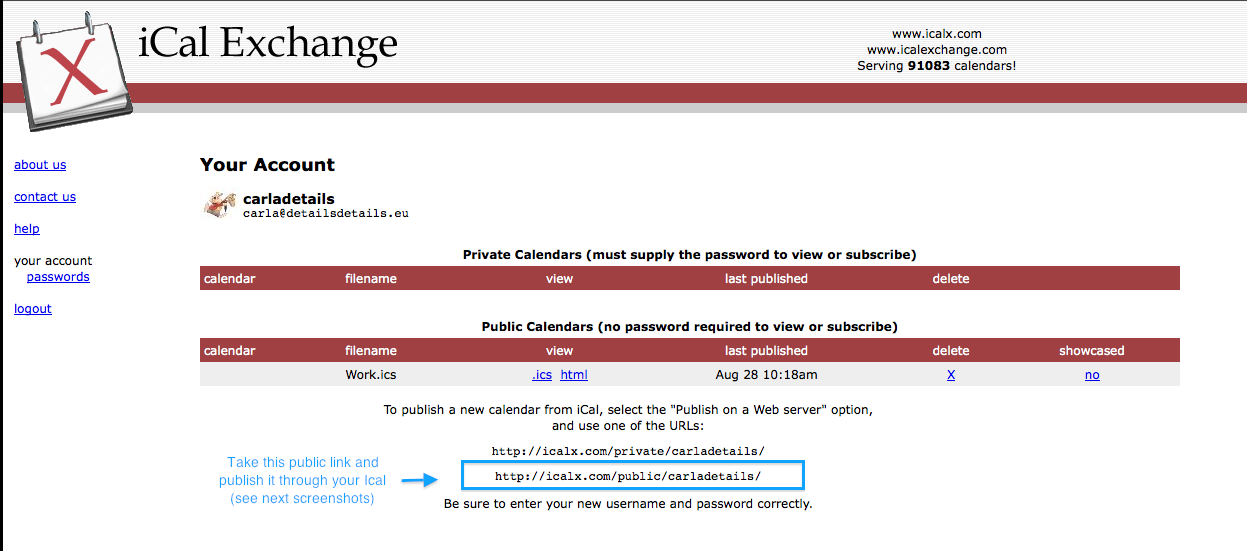
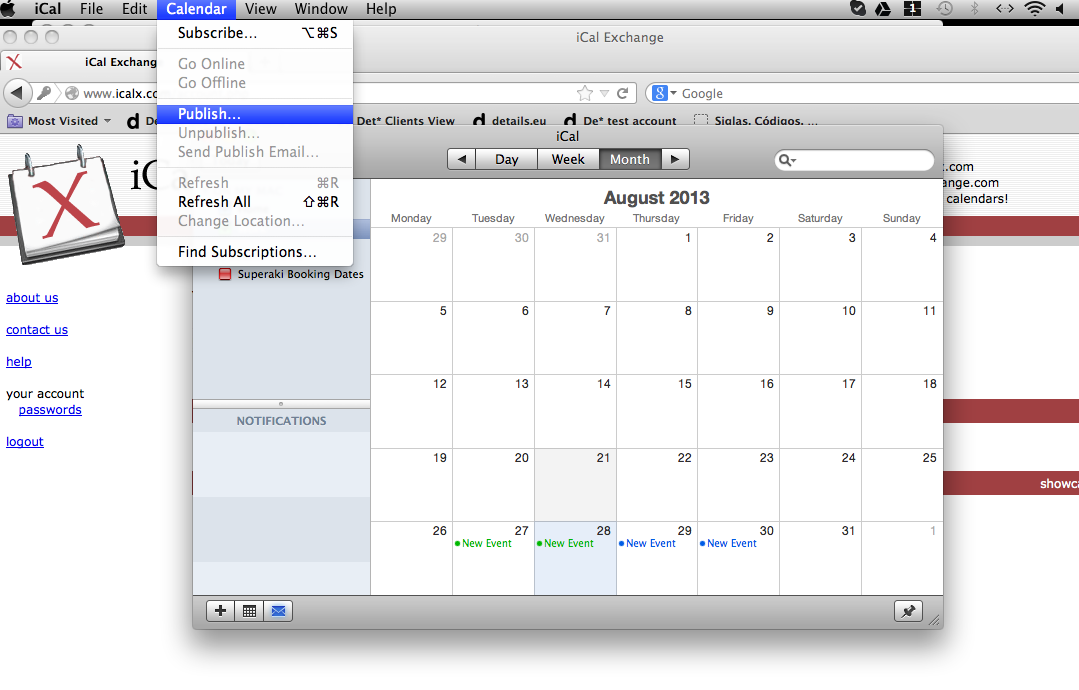
*Go to your ICal, click on Calendar (general Ical options on top), click on Publish
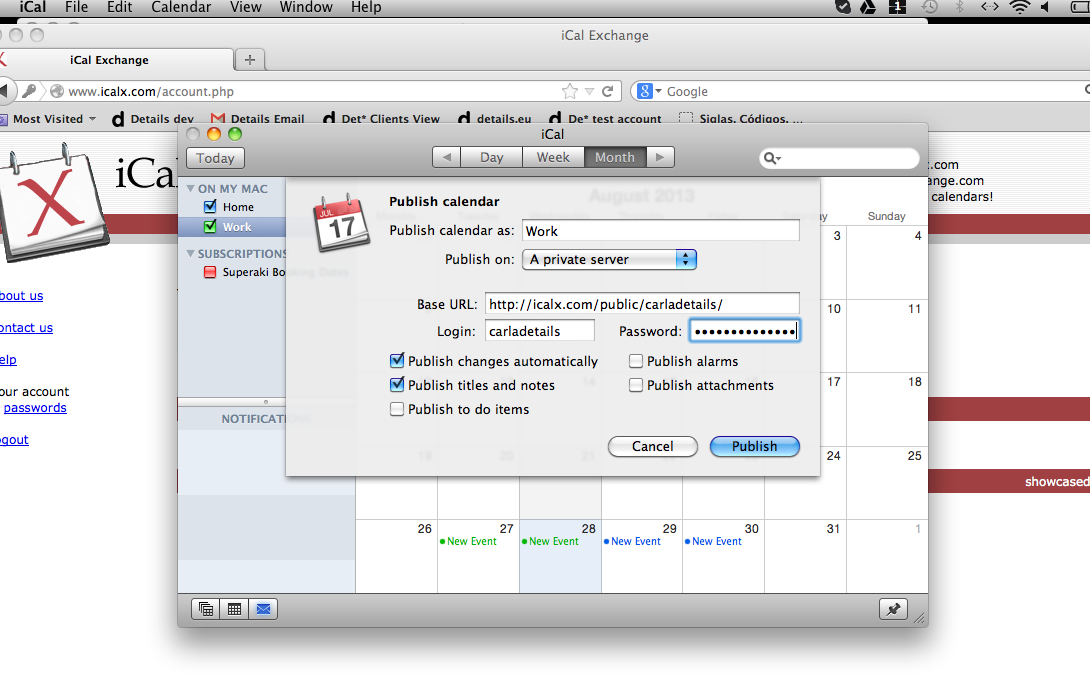
*Select: Publish on a private server and add the copied Url (from screenshot 2) in the Base URL section. Select other options as you wish. Then click on the ‘Publish’ button
*When the calendar is published, you receive the final ICal url
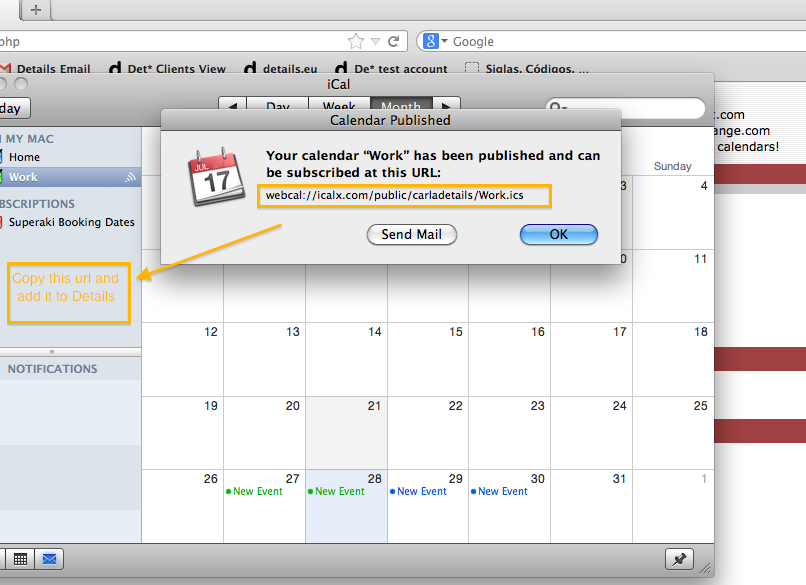
*Copy this link and add it to Details – Artist profile – Ical web links
*You will see the external dates on Details: 24 hours later.
How to add Details Calendars to Google Calendars
Add an artist’s Details calendar to Google Calendar by first creating an iCal link in Details, then subscribing to that link in Google Calendar.
Create the iCal link in Details
- Go to booking.details.eu and open the Booking section.
- Click Artists and select the artist whose calendar you want to add.
-
Open the iCal Links tab.

-
Under iCal Sharing, click + Add New iCal.

-
Enter the user who should receive and manage the calendar link.
Enter a clear description, for example Google Calendar. - Set the End of Sharing date. For example, select a date 30 days from today if the access should only be valid for 30 days.
-
Select the information you would like to share:
- Enable Hide Fees if money information should not be visible in the calendar.
- Enable Minimum Info if you only want to share limited booking information.
- Under Booking Status, select the statuses that should appear in the calendar. You can select all statuses if required.
- Click OK to save the iCal link.
- In the iCal Sharing list, click the email icon next to the newly created link. The selected user will receive an email containing the iCal Feed URL.
Add the iCal link to Google Calendar
- Open the email and copy the link shown under iCal Feed.
-
On a computer, open Google Calendar.

- In the left sidebar, next to Other calendars, click the + icon.
-
Select From URL.

-
Paste the iCal Feed URL from Details and click Add calendar without making it public.

The Details calendar will appear under Other calendars in Google Calendar.
Important: This is a one-way subscription. Booking changes made in Details will appear in Google Calendar after Google refreshes the calendar feed. Changes made in Google Calendar will not update Details.
How to add external ICal calendars to Details: from ICal subscriptions
::From your current ICal suscriptions::
*Open your ICal – go to your current Calendar subscriptions on the right – choose one and click-right with the mouse to show the preferences – Choose: Copy URL to clipboard or ‘Get info’ to get the link
*Add this link to Details
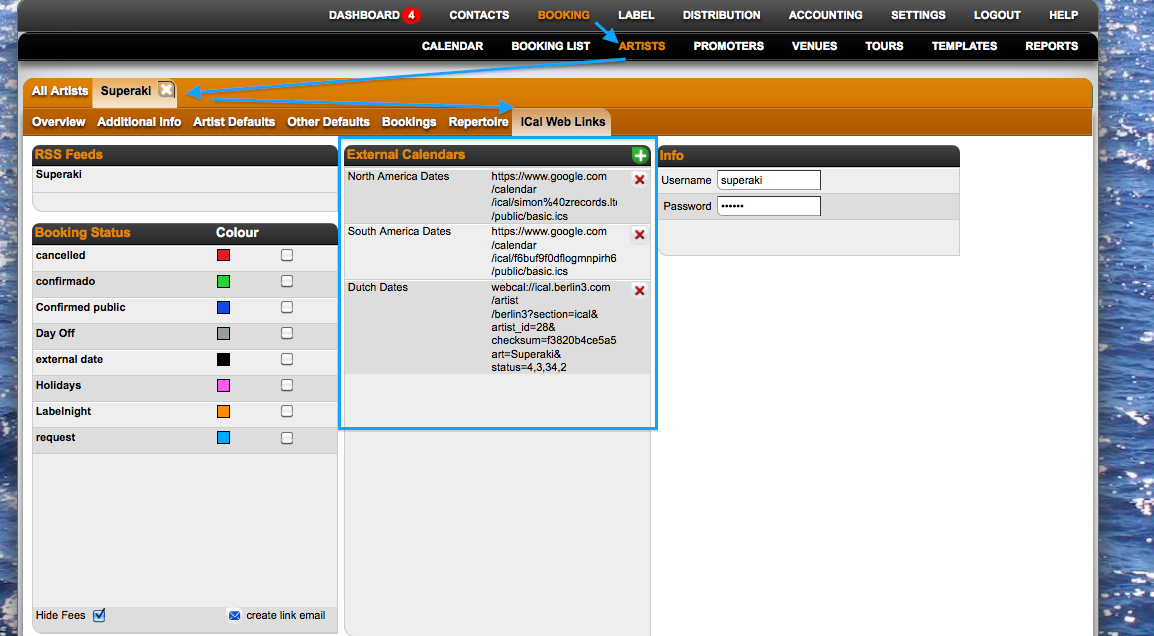
*You will see the external dates on Details: 24 hours later.
How to add external ICal calendars to Details: from your local ICal (computer)
::From your local ICal Calendar in your computer::
*To add it on Details, first it needs to be published on an online server like: http://icalx.com/
*You need to create an account on Icalx.com
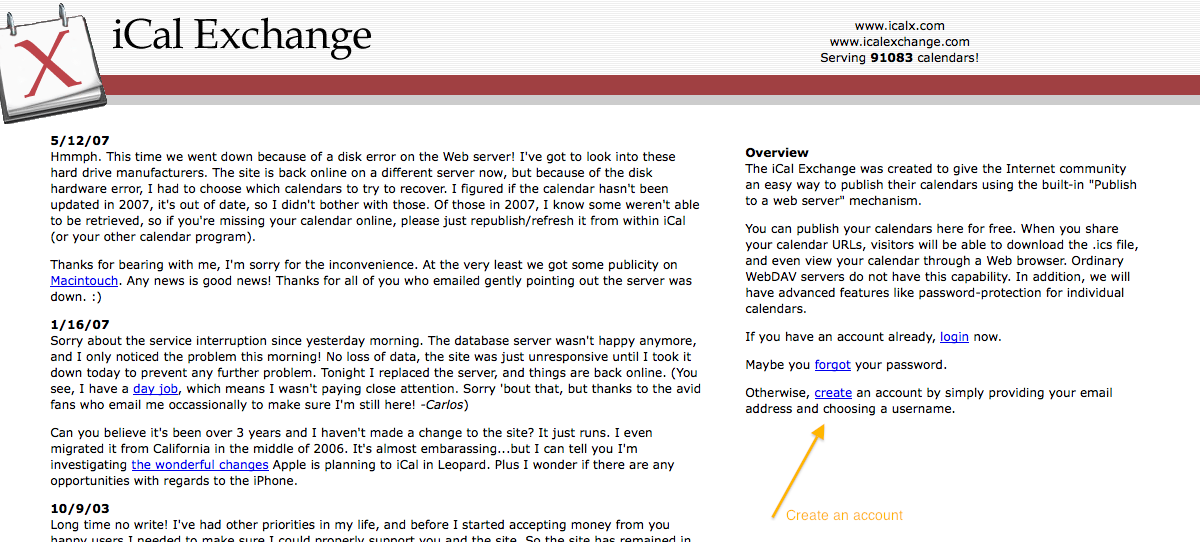
*Copy the public link that appears in Icalx
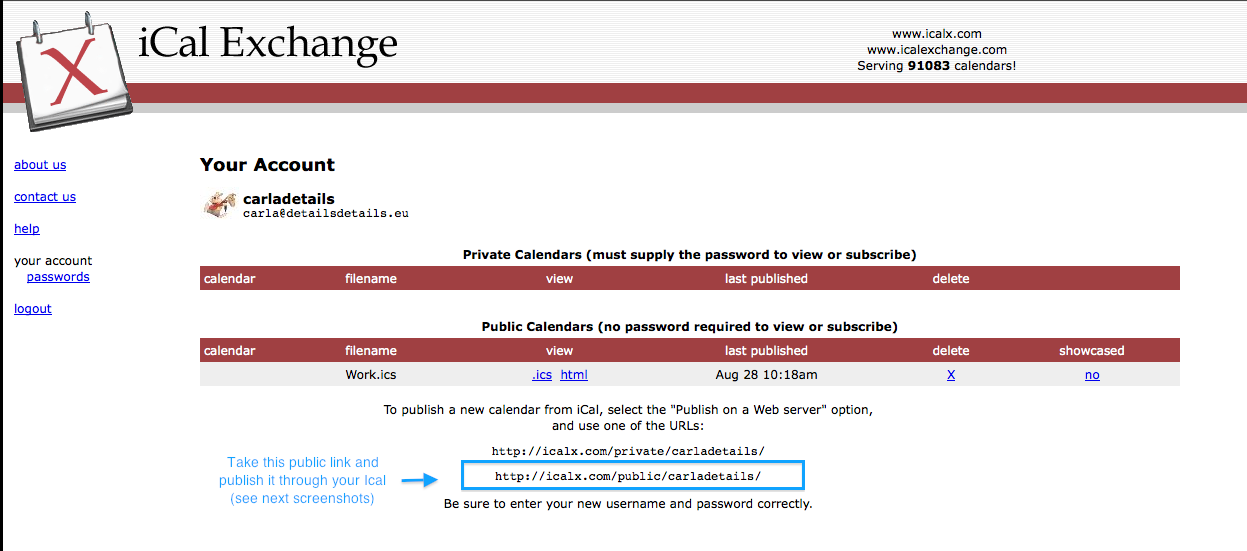
*Go to your ICal, click on Calendar (general Ical options on top), click on Publish
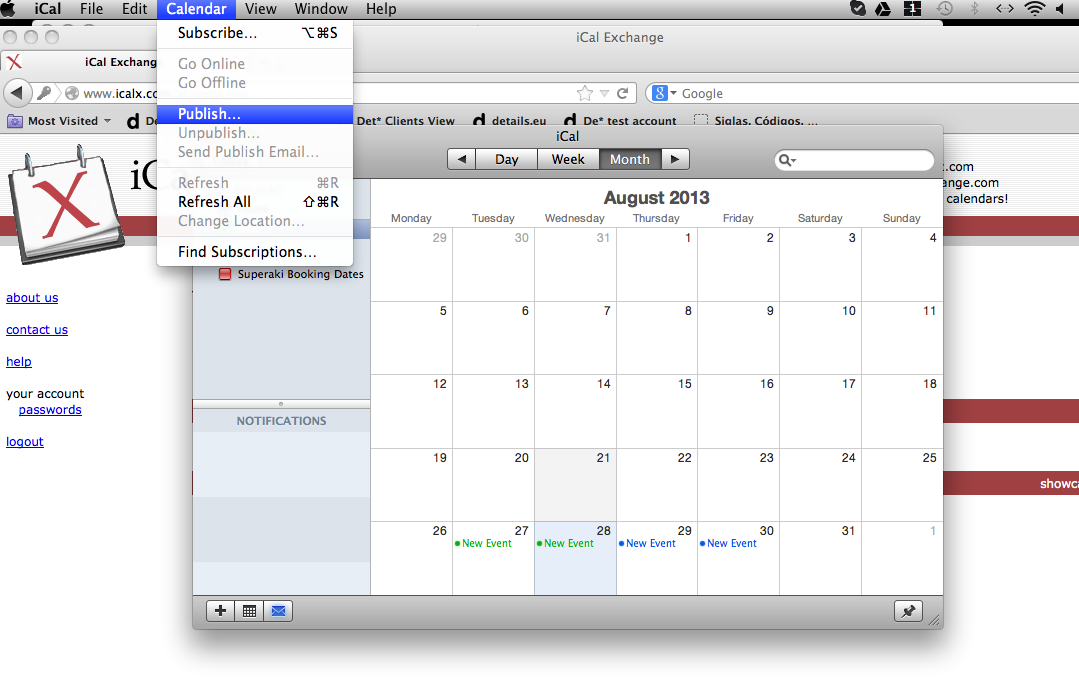
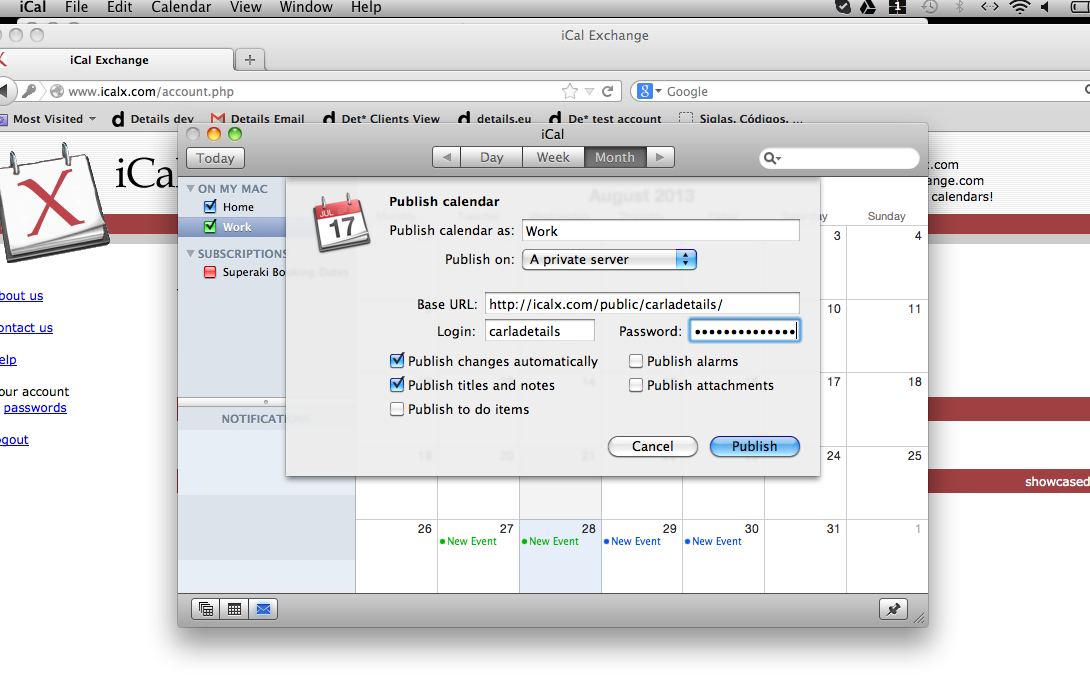
*Select: Publish on a private server and add the copied Url (from screenshot 2) in the Base URL section. Select other options as you wish. Then click on the ‘Publish’ button
*When the calendar is published, you receive the final ICal url
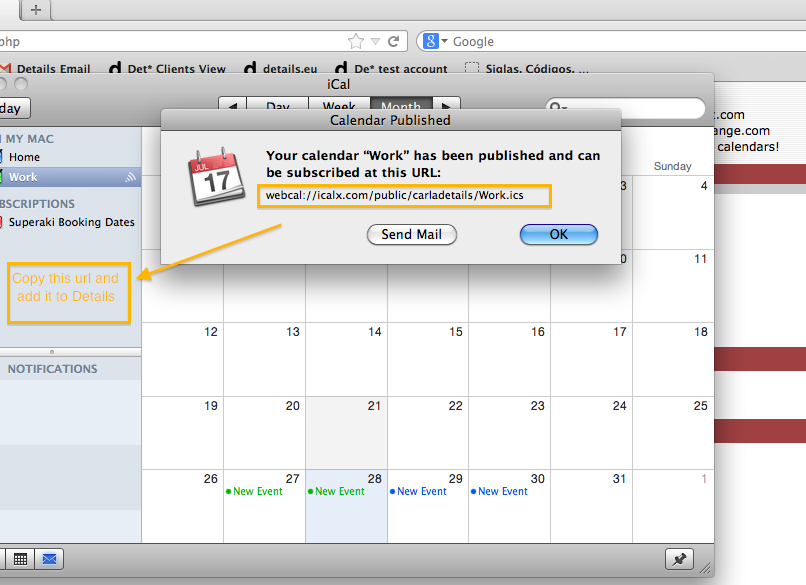
*Copy this link and add it to Details – Artist profile – Ical web links
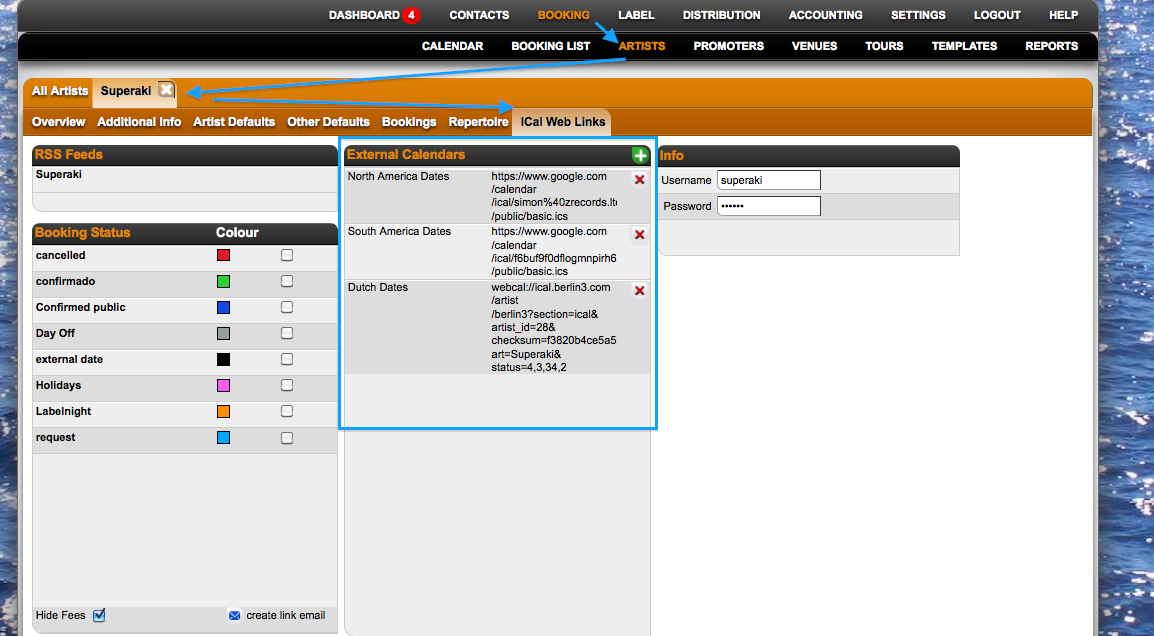
*You will see the external dates on Details: 24 hours later.
How to add external ICal calendars to Details: from a Google Calendar
For more informations on google calendars, please visit the Google Help Center►
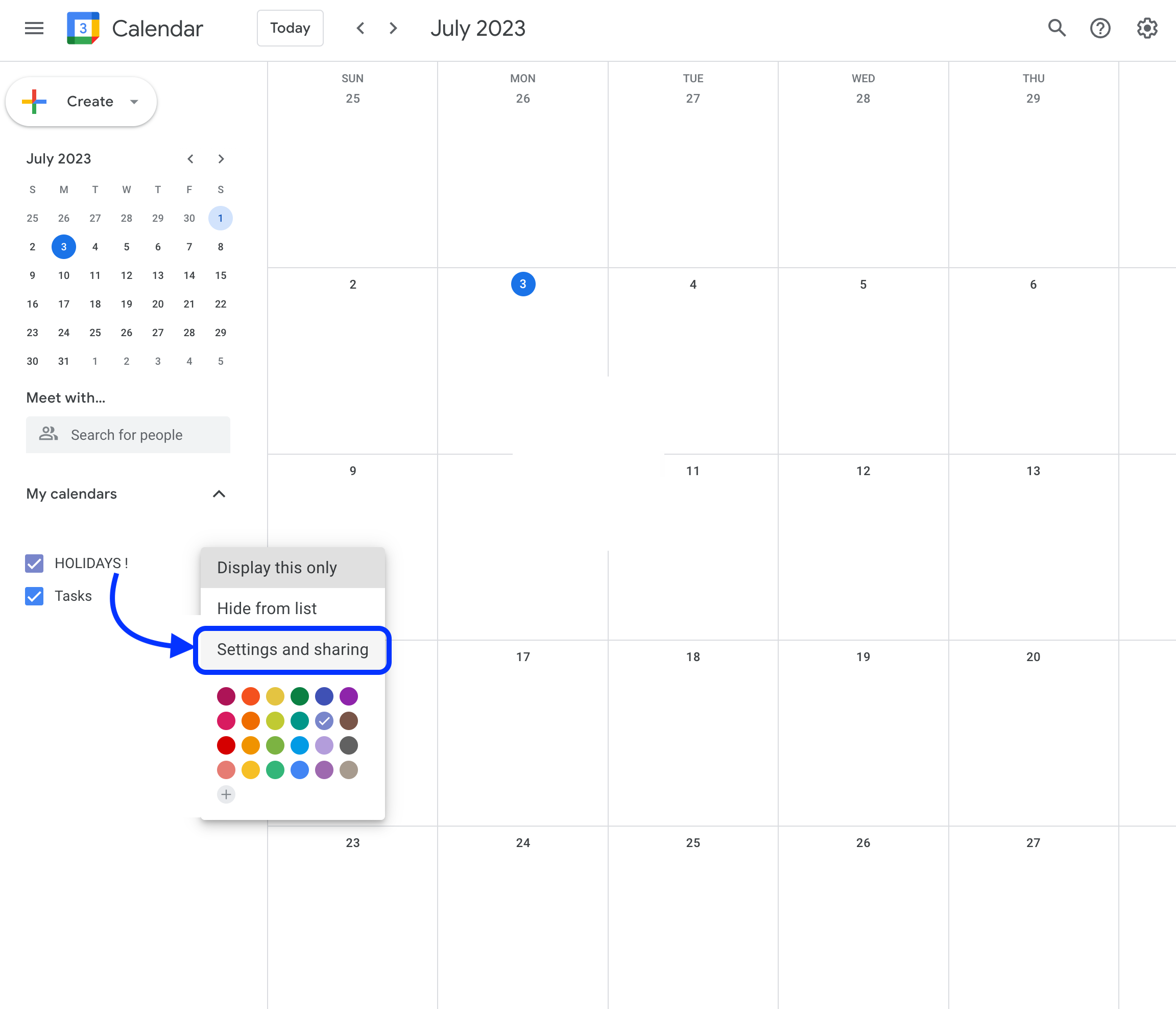
1. From a Google Calendar go to the calendar you want to share and click on Settings and sharing.
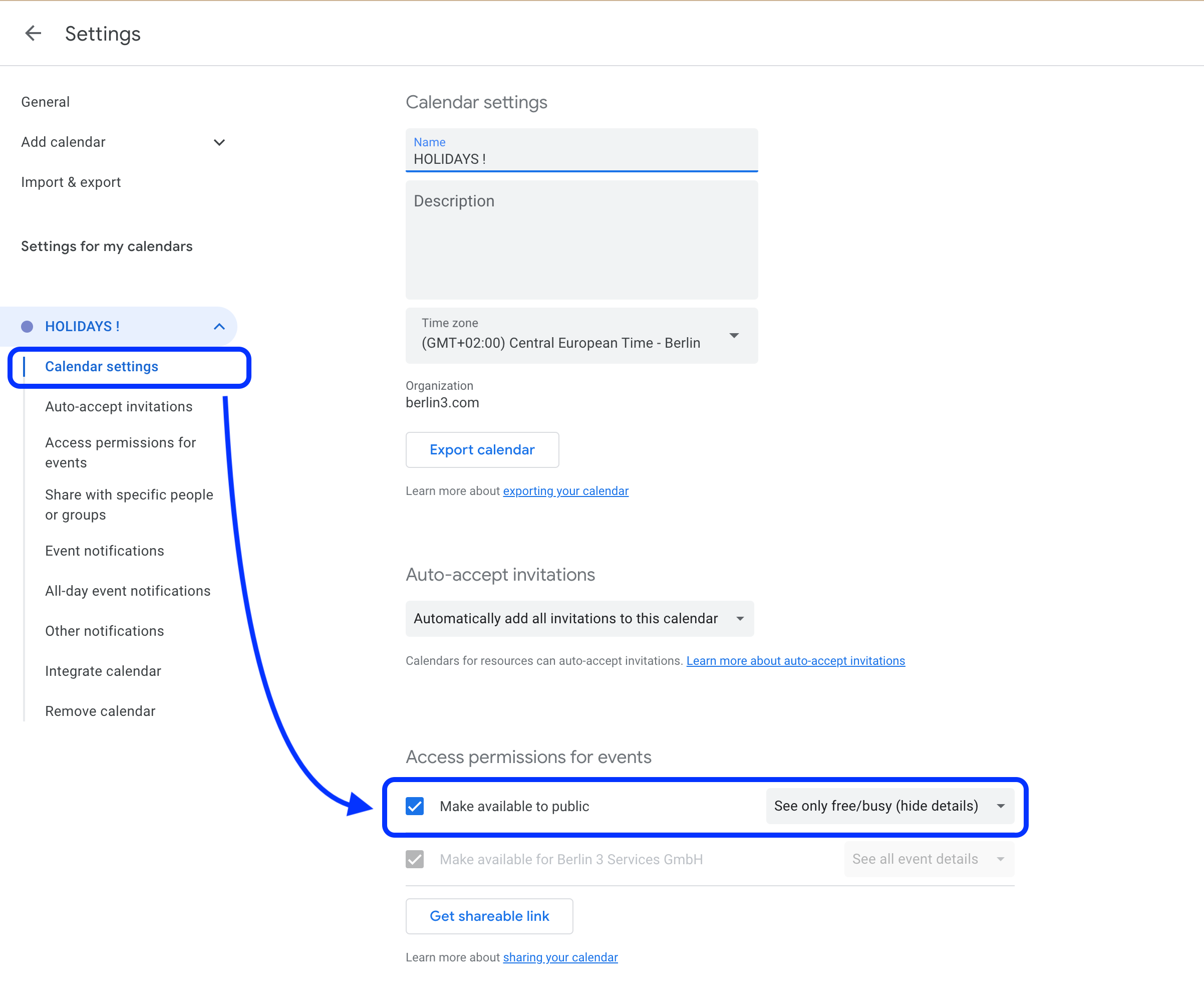
2. Click on Calendar Settings and tick the “Make available to public” checkbox.
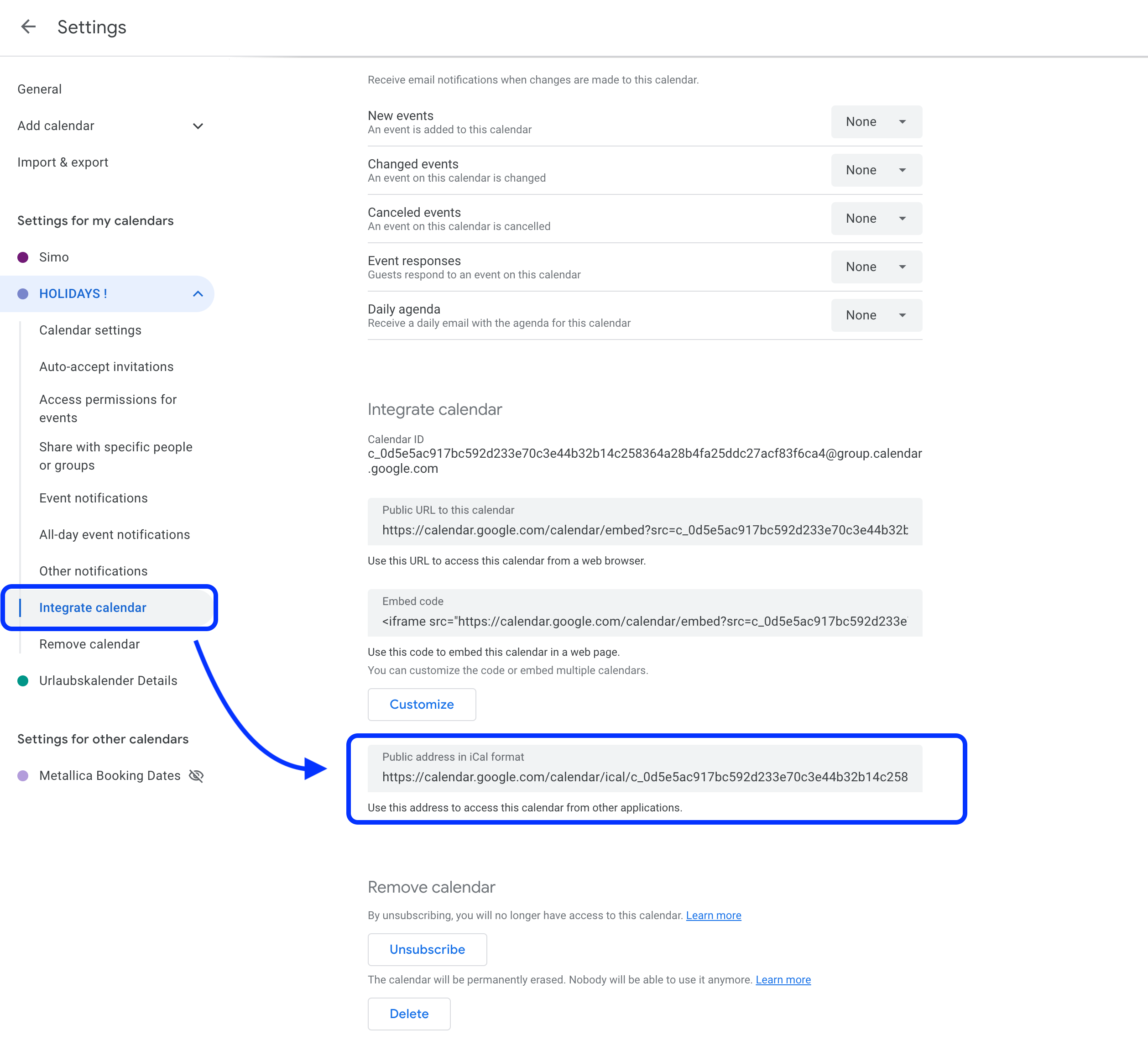
3. Then choose the Integrate calendar tab and copy the “Public address in iCal format” link.
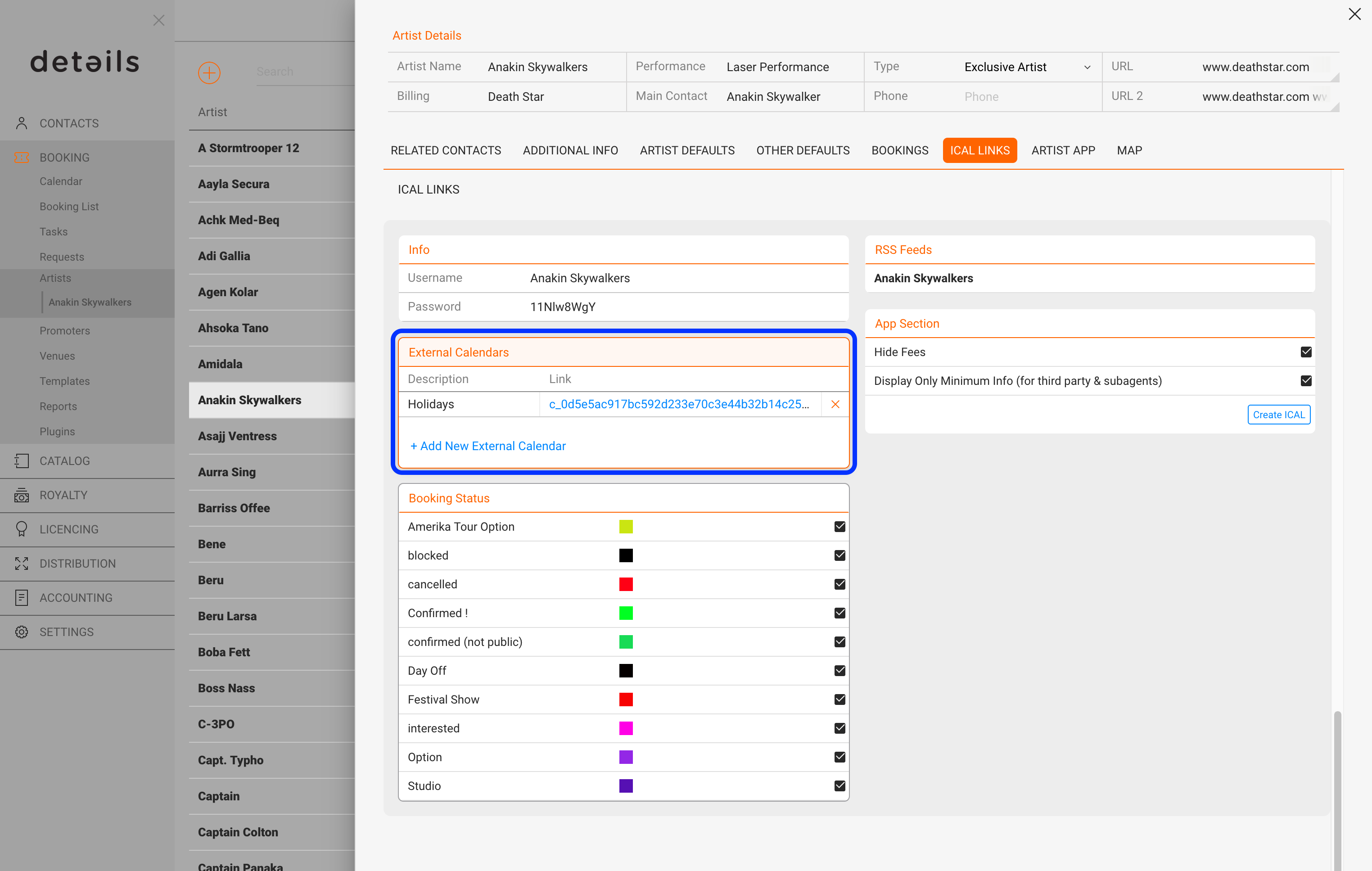
4. Paste this exact link on the Artist defaults – ICal links – External Calendars►section.►
How to add Details Calendars to: ICal Calendars
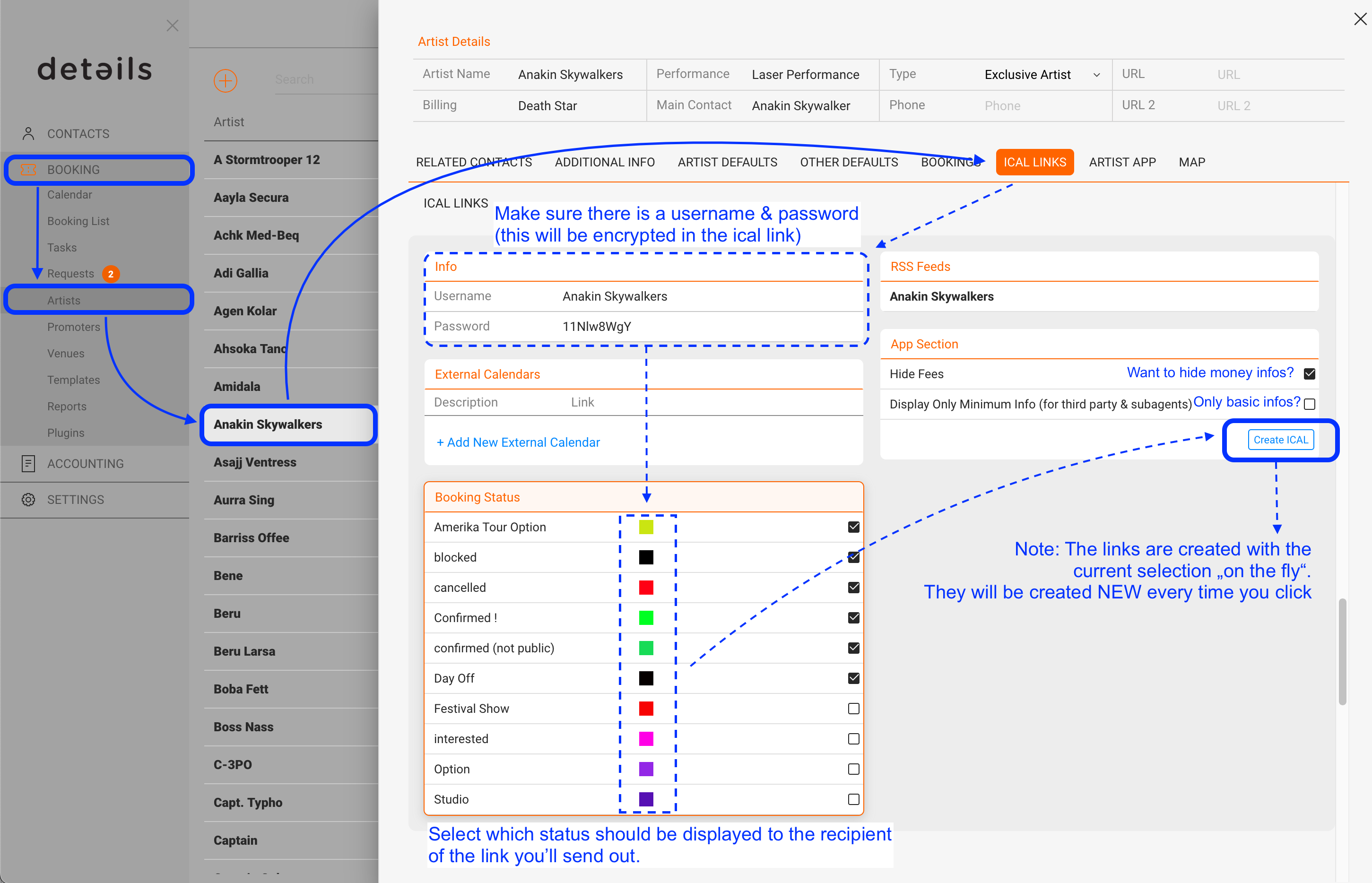
1. To create the iCal-link for an artist go to BOOKING / ARTISTS / select an artist / iCal Links.
* Make sure there is a username and secure password
* Select which status should be displayed to the recipient of the link.
* If you want to hide money infos, check the top box on the right.
* If you want to display basic infos like date, city and location only, check the lower box on the right (this is great if you are working with sub agencies who should just see if an artist has bookings/options) If this box is not checked, ALL informations from a show will be displayed here such as fees, drivers, restaurant, hotels etc. -> the ical is not only a overview of the future bookings but can be used as the itinerary!
Note: the iCal-links are created with current selection “on the fly”,
i.e. they will be created again every time you click, meaning that your selections don’t need to be saved! IMPORTANT: If you change the password / user, the ical links will NOT be updated anymore.
2. Open ICal and click on the ‘Subscriptions’ section with the right mouse.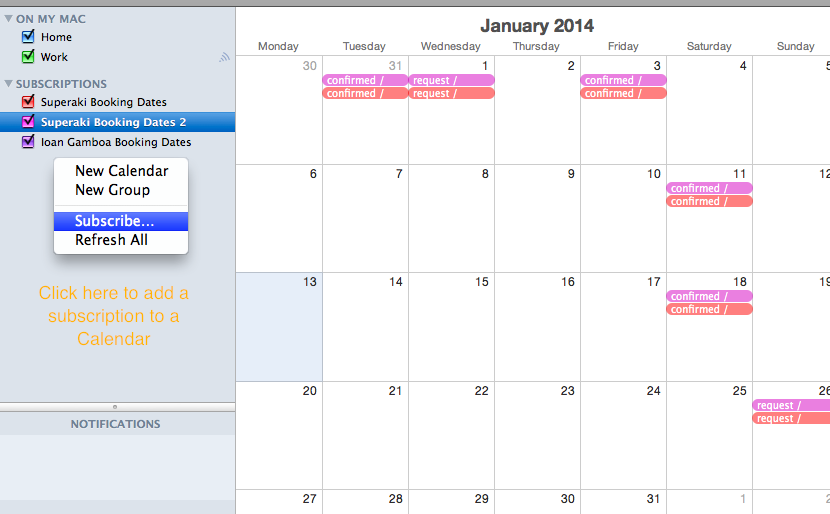
3. Add the created link to the Ical.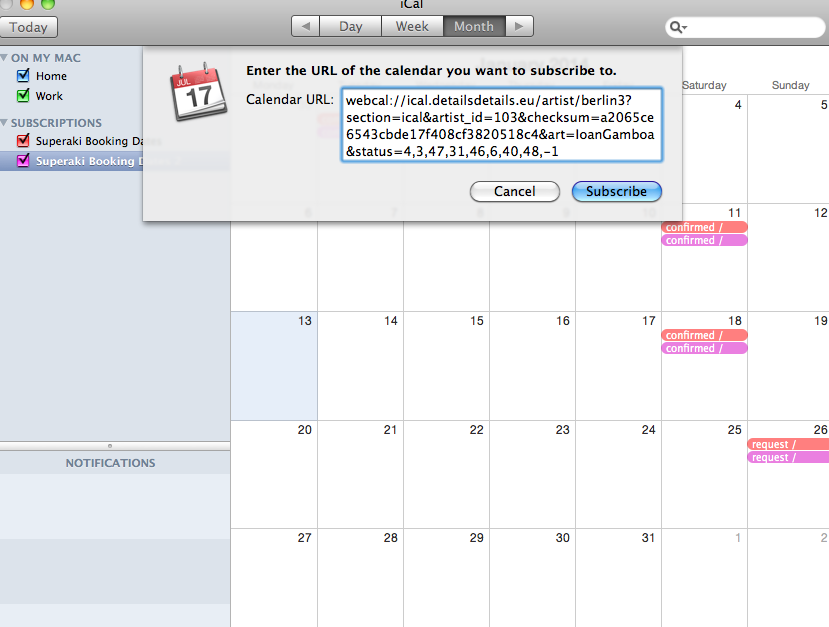
4. Edit the ‘Settings’ of the Calendar Subscriptions as required (auto-refresh, attachments..)