In CATALOG / LABEL, you manage label entities in details. This page first shows a list of all labels. From there, you can open any label to access its tabs.
►1. Labels List
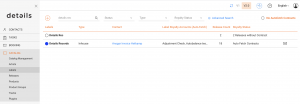
In the List of Labels you see
- Type the label s predefined type (In-House, Distributed, External).
- Contact the primary linked contact (if any).
- Label Royalty Account the account used for royalty processing.
- Release Count how many releases are under this label
- Royalty Status number of releases not linked to a contract or connected via Auto Fetch
2. Label Page
► OVERVIEW
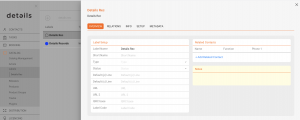
- Type one of the predefined options (In-House, Distributed, External).
- Status customizable color tags you define under LABEL / SETTINGS ► ADDITIONAL INFO.
- Default P-Line / C-Line legal lines used in exports and documents (use the officially registered names).
- URLs two link fields (e.g., website and Wikipedia/Bandcamp).
- ISRC Base the code root used to generate track codes downstream.
- Label Code a legacy code still used by some collecting-society distributions.
- Related Contacts link roles like Label Manager, Accounting, or Promotion via [+].
- Notes keep internal notes for the label.
► INFO
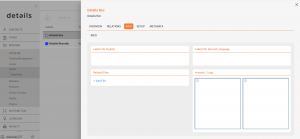
- Logo select a logo that has been uploaded beforehand.
- Biographies maintain label bios in multiple languages.
► RELATIONS
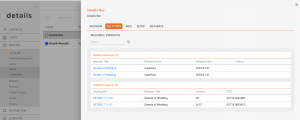
Shows all releases and products connected to the label, including counters. Click a bold entry to open its RELEASE or PRODUCT page.
► SETUP
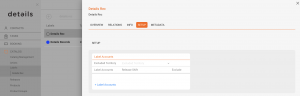
- Distribution Restrictions exclude territories from delivery if needed.
- Release Shifts per Account shift availability earlier or later for specific accounts.
► METADATA
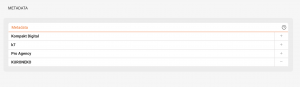
Attach predefined metadata sets (e.g., ISO codes, partner-specific fields) required for integrations and deliveries.