The .shares Dashboard gives artists, managements, and partners secure online access to their royalty statements. This article explains how to set your password and log in for the first time.
Note: Access to the .shares Dashboard is provided via an email invitation. If you haven t received one, please contact your label or royalty administrator.
Step 1: Start Login
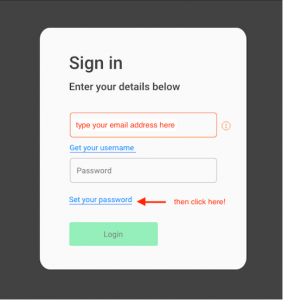
Go to the login page of the .shares Dashboard. Type your user name the email address your statement was sent to and click Set your password.
Step 2: Request a Recovery Link
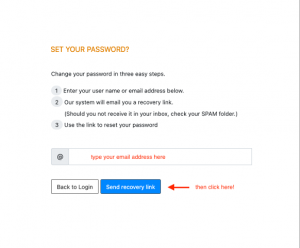
A new screen will open. Enter your email address again and click Send recovery link.
Step 3: Check Your Email
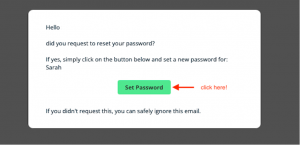
Look for an email from do-not-reply@details.eu with the subject line Set your new details password.
Open the email and click Set Password.
Step 4: Set Your Password
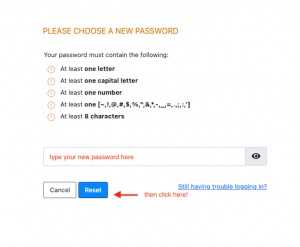
Enter your new password and click Reset to confirm.
Step 5: Confirm the Password Reset
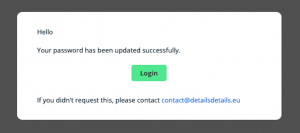
You ll receive another email with the subject Password reset successful.
Open the email and click Login.
Step 6: Log In to the Dashboard
After clicking the link, you ll be directed to the .shares Dashboard login page. Enter your email and the password you just set, then click Login.
Step 7: View Your Statements
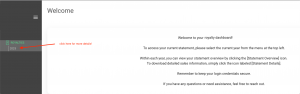
Once logged in, you ll see your available statements. Click on a year to view detailed insights about your royalty statement.
Tip: You can return to your dashboard anytime via the link in your invitation email or by saving the login page as a bookmark in your browser.