This article explains how to connect details with p.r.o. agency, prepare your metadata, send your catalog, interpret responses, and handle the bilingual consent.
► Overview & Benefits
Why this integration matters
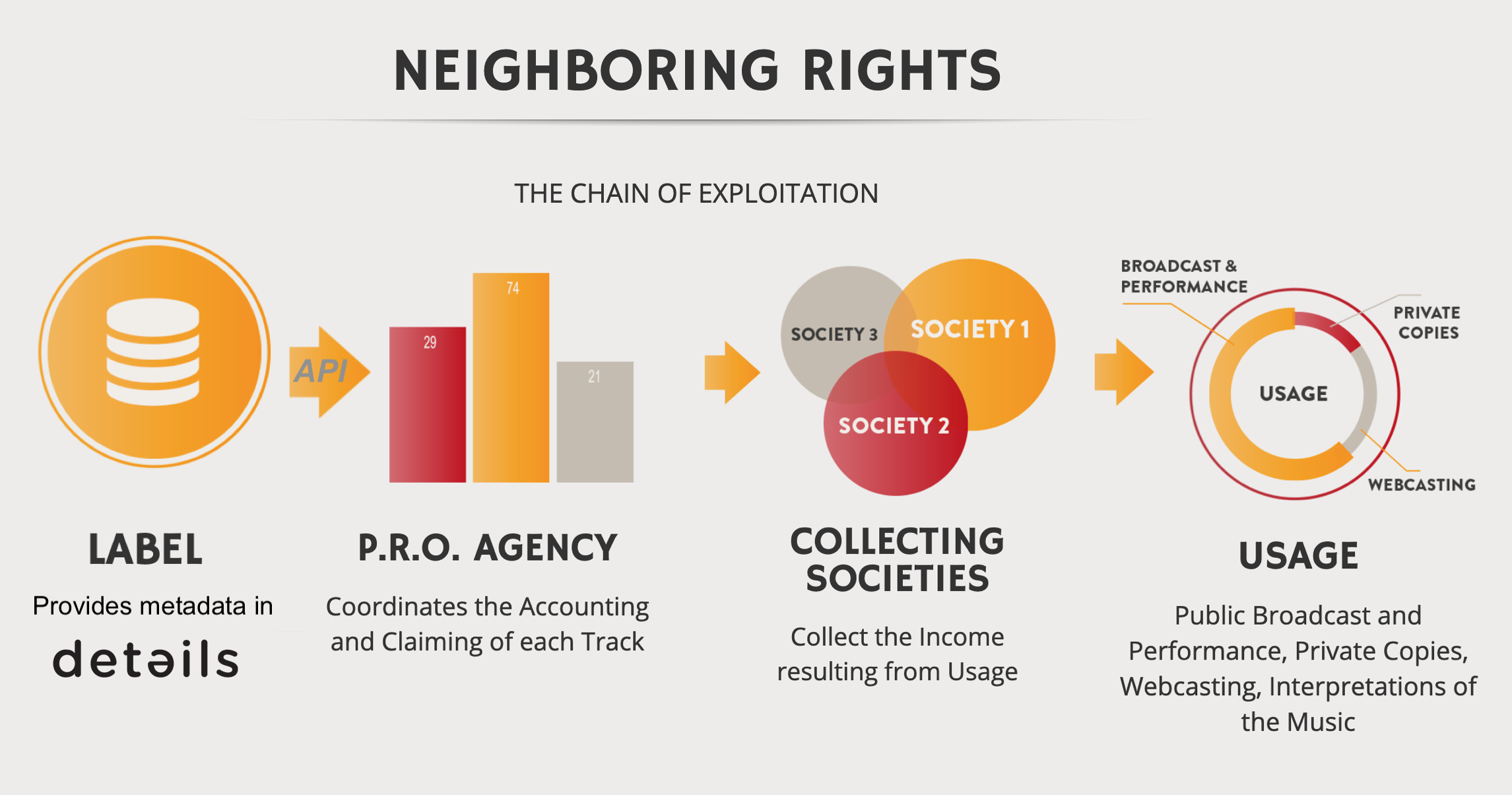
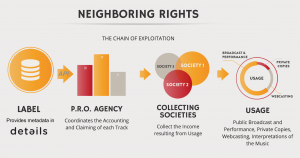
Neighbouring Rights revenues (e.g., public performance and broadcasting) are collected by societies such as GVL, PPL, SPPF, SENA, and others. The integration with p.r.o. agency helps automate data delivery and reduce duplicate data entry.
The aim of the partnership is to simplify the data flow for labels and label services and to avoid multiple data entries. In 2019, details, p.r.o. agency, and WeConvert launched the Connecting the Tools initiative (EU’s Music Moves Europe), aiming to simplify data flows for labels and label services.
► Setup & Activation
Prerequisites
- Credentials from p.r.o. agency: account name and token (API key).
- Your labels activated by p.r.o. agency for data transfer.
Activate the plugin
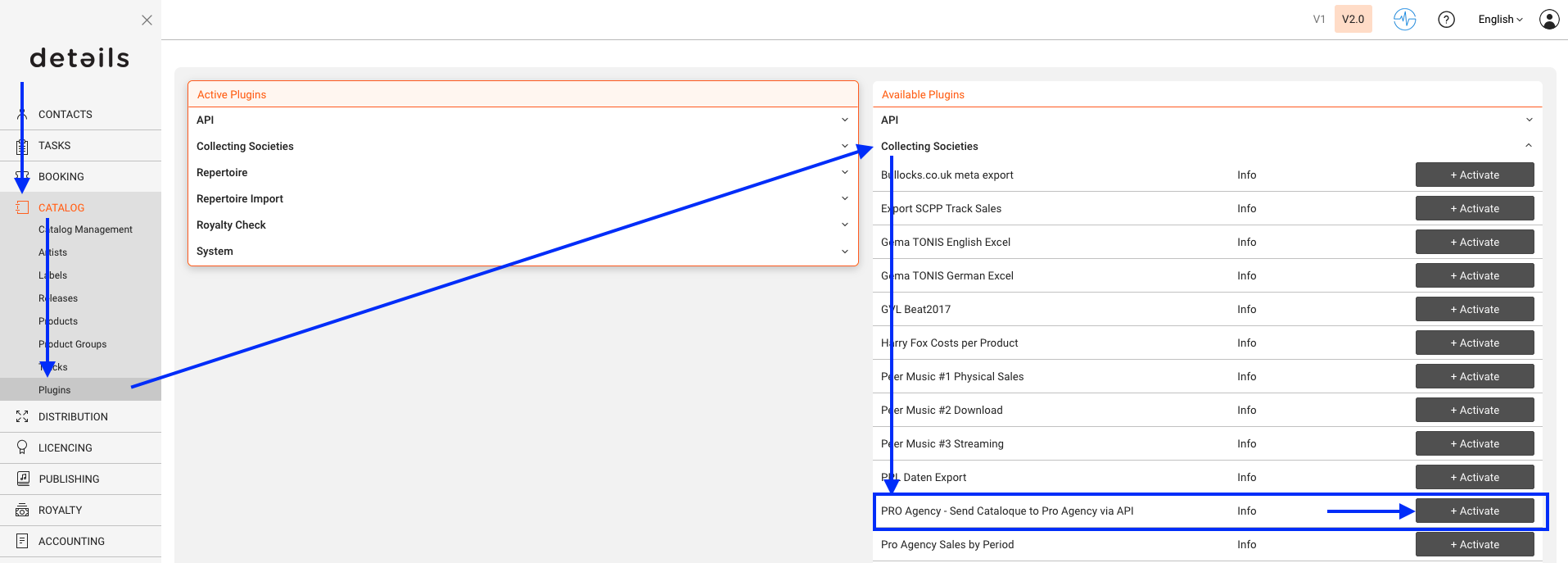
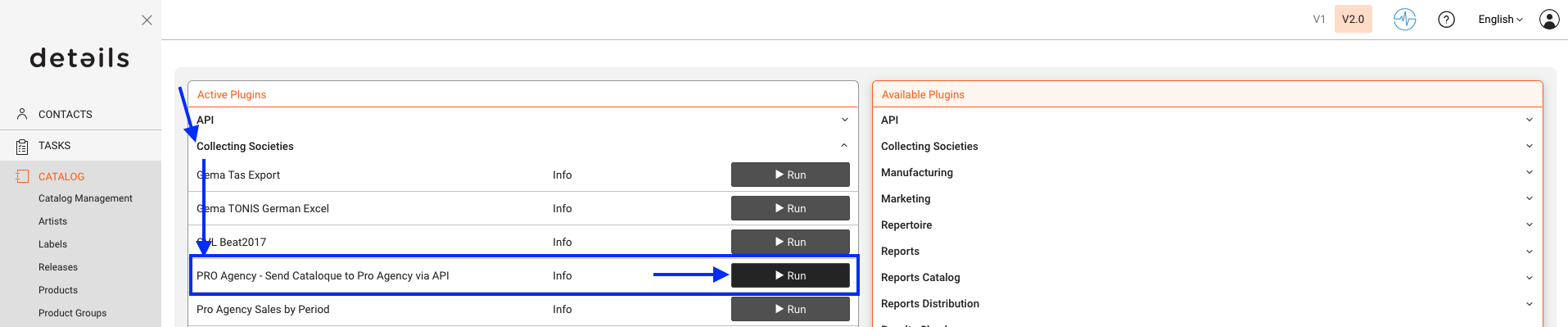
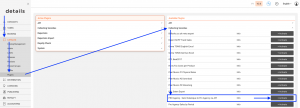
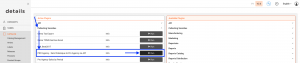
Go to CATALOG / PLUGINS / COLLECTING SOCIETIES and activate Pro Agency Send Catalogue to Pro Agency via API . Then click [RUN] to initialize.
Enter API credentials
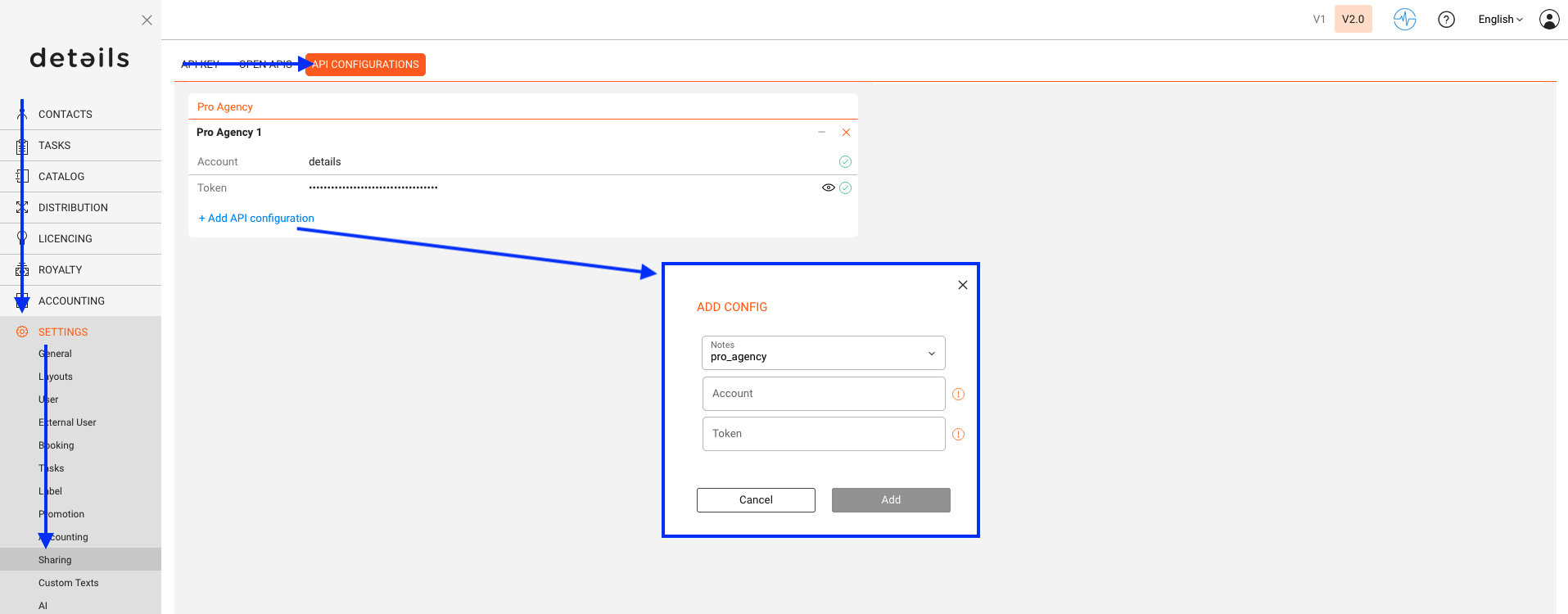
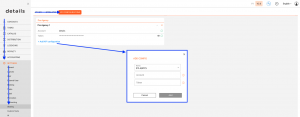
Go to SETTINGS / SHARING / API CONFIGS. After clicking SHARING, you will be asked to log in again. Only users with admin rights, or those explicitly authorized by an admin, can proceed.
When logged in, click [+ Add API configuration], select pro_agency, and enter account name and token. Confirm with [Add].
Set label defaults
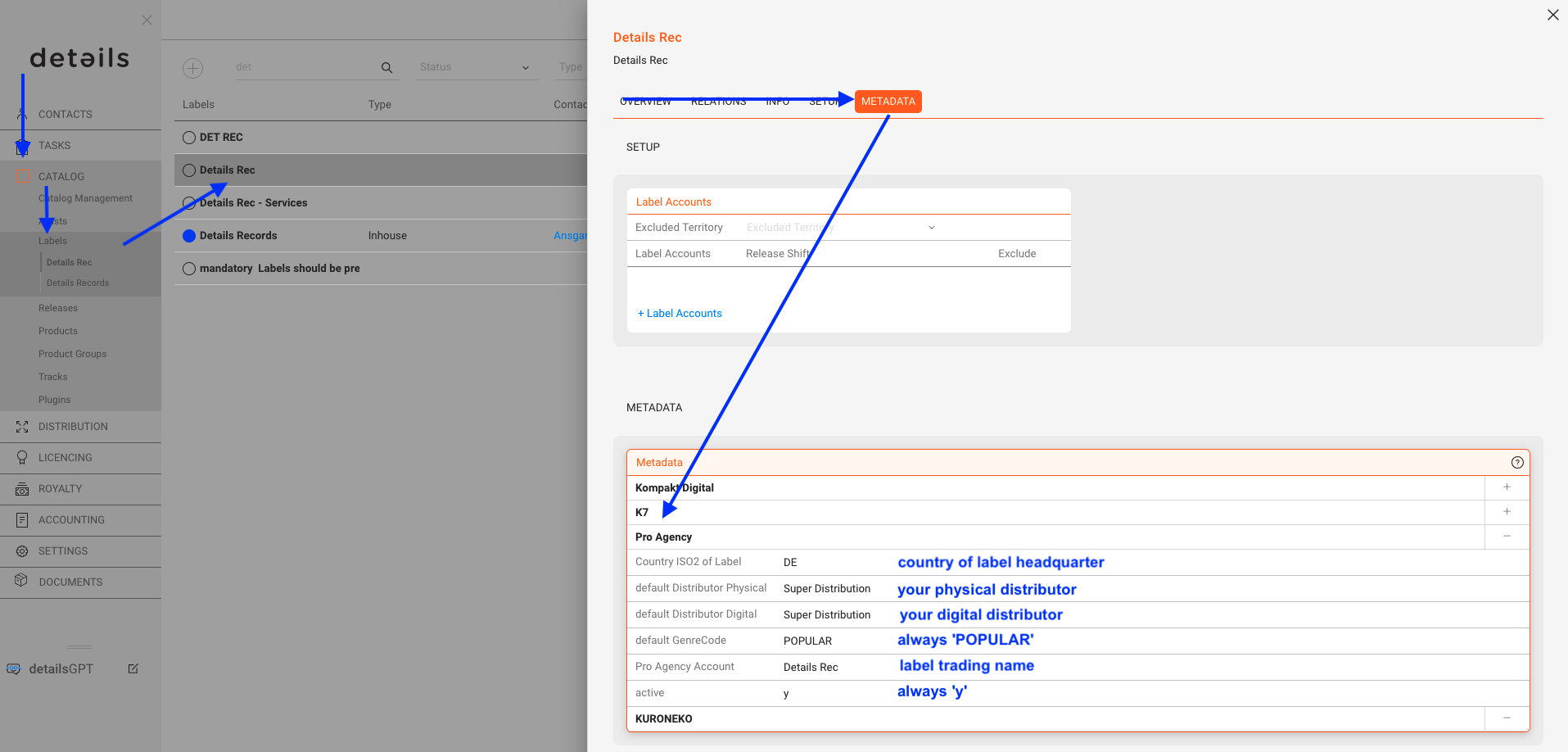
For each label in CATALOG / LABELS, open the METADATA subtab and fill in the defaults required by p.r.o. agency (e.g., GenreCode = POPULAR, active = y).
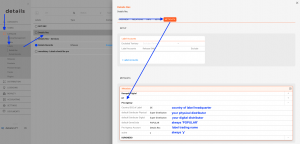
Set format defaults
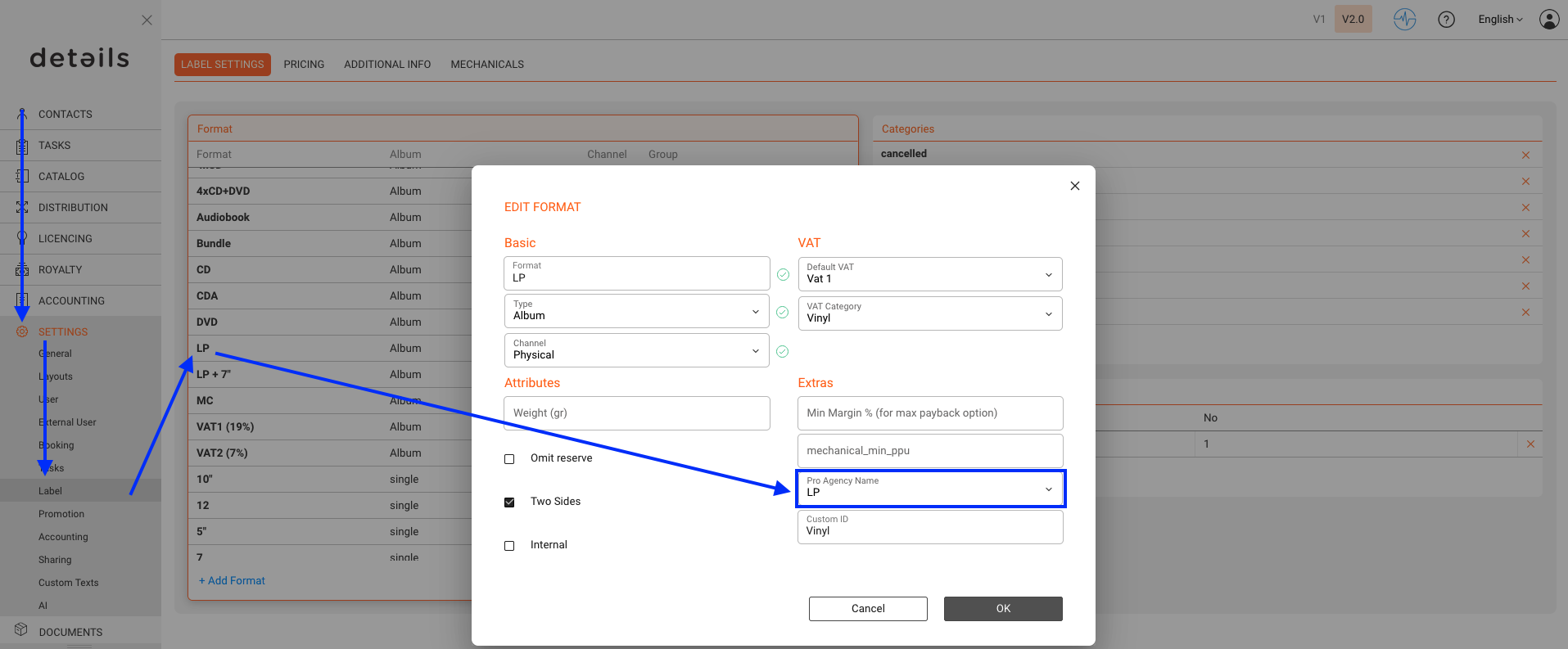
In SETTINGS / LABEL / LABEL SETTINGS, map your formats to p.r.o. agency reference formats (CD, LP, MP3).
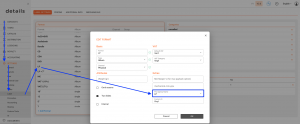
► Metadata Requirements
Mandatory
To deliver via API, tracks must meet the mandatory metadata requirements below. If required data is missing, affected lines cannot be delivered.
| Field | Description | Example | Format |
|---|---|---|---|
| Label Name | marketing label name | XXX Records | Text |
| Release Artist | name of the release artist | Various Artists | Text |
| Track Artist | artist name of the individual track | Artist XXX | Text |
| Release Title | title of the album, single or EP | XXX Album | Text |
| Track Title | title of the track | XXX Track | Text |
| Track Duration | track duration | 00:03:30 | HH:MM:SS |
| Format | type of carrier | CD, LP, MP3 | Text |
| ISRC | International Standard Recording Code | DEXXXXXXXXXX | Text |
| UPC / EAN | Please provide only one code per track. | 4024572687960 | Text |
| Release Date | release date of the track | 18.06.2007 | DD.MM.YYYY |
| Composer | name of the composer (first and last name) | Christian XXX, Christian YYYY | Text |
| Author | name of the author (first and last name) | Christian XXX, Christian YYYY | Text |
| Year of Recording | the year in which the recording took place | 2007 | YYYY |
| Country Code of the Recording | country in which the recording took place. Please use the ISO 3166 Code Alpha 2 | DE | Text |
| Name of 1st Owner | name of the original rights owner | YYY Records | Text |
| Country Code Of The 1st Owner | country code of the original rights owner. Please use the ISO 3166 Code Alpha 2 | US | Text |
| Type of Content | audio or video | Audio | Text |
| Territory of Rights | territory/territories of rights ownership. Please use the ISO 3166 Code Alpha 2 | WW, -AU, -US | Text |
| Percentage of Rights | The percentage of rights that you own of a certain recording | 100% | Text |
| Genre Code | Please choose only POPULAR or CLASSICAL. | CLASSICAL | Text |
Optional
The following additional information is optional; to add multiple entries please separate by comma.
| Field | Description | Example | Format |
|---|---|---|---|
| Catalogue Number | internal number of each release on the label release | XXX001 | Number |
| Additional Track Contributors – Artist |
additonal artists to the TrackArtist | Artist YXX | Text |
| Additional Track Contributors – Featuring |
additonal artists to the TrackArtist | Artist YYX | Text |
| Additional Track Contributors – With |
additonal artists to the TrackArtist | Artist YYY | Text |
| Additional Track Contributors – Accompanist |
additonal artists to the TrackArtist | Artist ZZZ | Text |
| Track Number | track position on the sound carrier | 3 | Number |
| Track Version | version of the track (remix, original, cover) | Radio Edit | Text |
| Start Date | start date of rights ownership (usually January 1st of the year of recording) | 01.01.2007 | DD.MM.YYYY |
| End Date | end date of rights ownership | 31.12.2056 | DD.MM.YYYY |
| Publisher | Name of Publishing Company | XY Publishing | Text |
| Name of the Distributor | name of your main distributor | XXX Distribution | Text |
► Send & Troubleshoot
Where to start
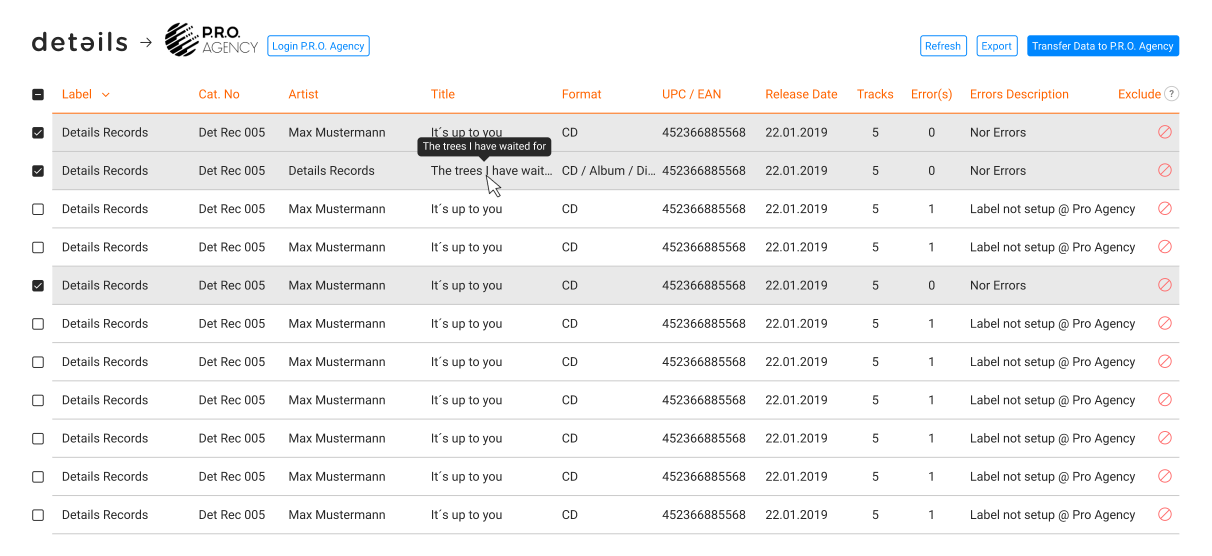
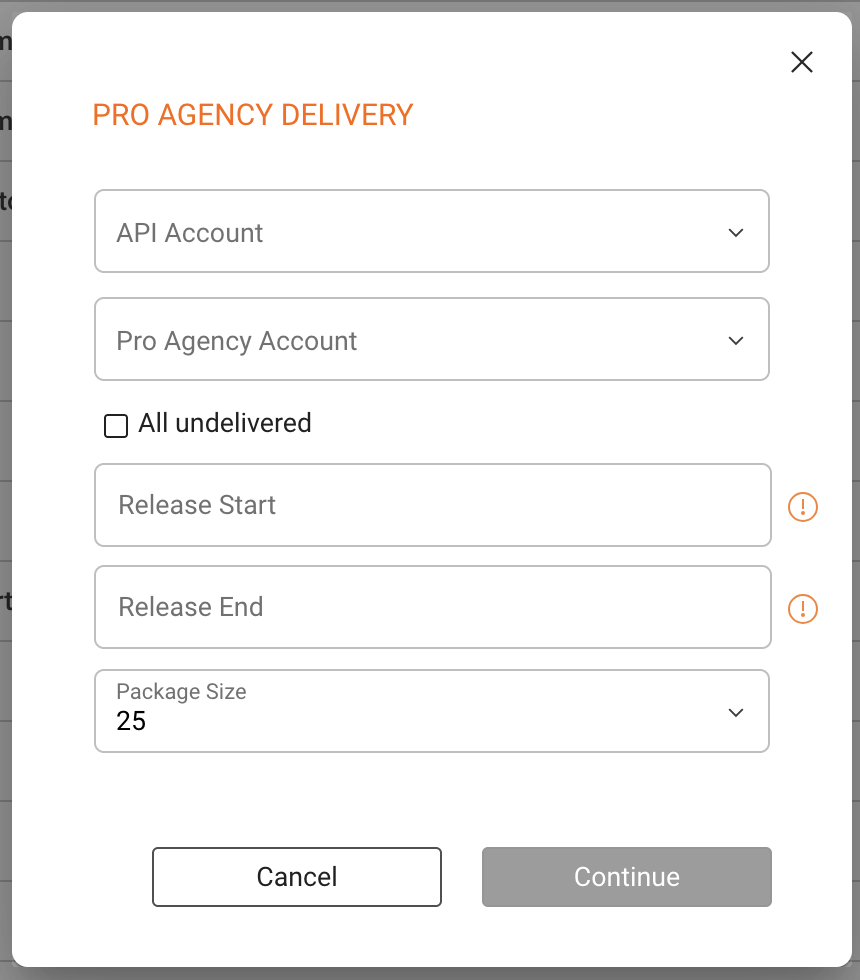
Go to CATALOG / RELEASES. After activation, use the Pro Agency button (top right on V2; bottom right on V1) to open the delivery window.

Filter & review
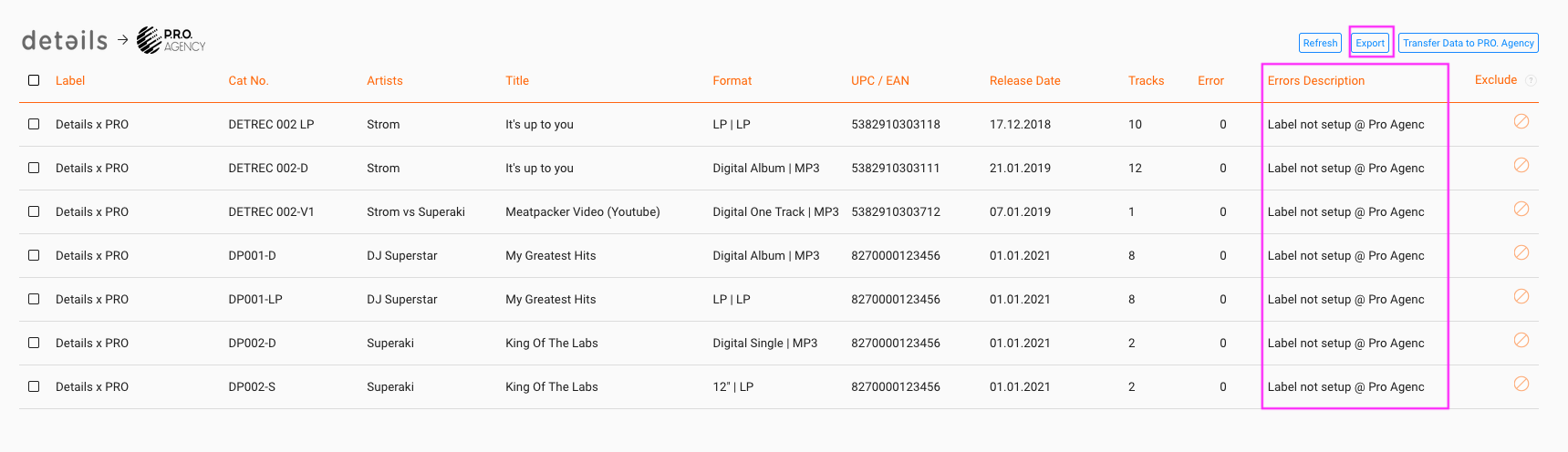
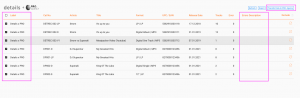
Choose account, label, release date, and delivery status filters. The validation view highlights errors per line fix all issues before transfer when possible.
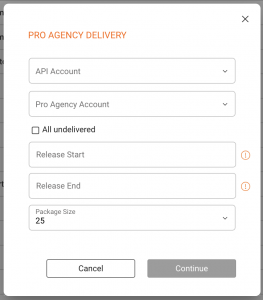
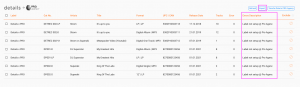
Common errors
- Label not set up at p.r.o. agency contact p.r.o. agency to enable it.
- composer missing add the composer(s) on the affected tracks.
- track duration missing enter duration on the affected tracks.
Export edit refresh loop
Use [EXPORT] on the validation page to download an editable list. Update data in details, then refresh the API tab to re-validate.
Transfer & responses
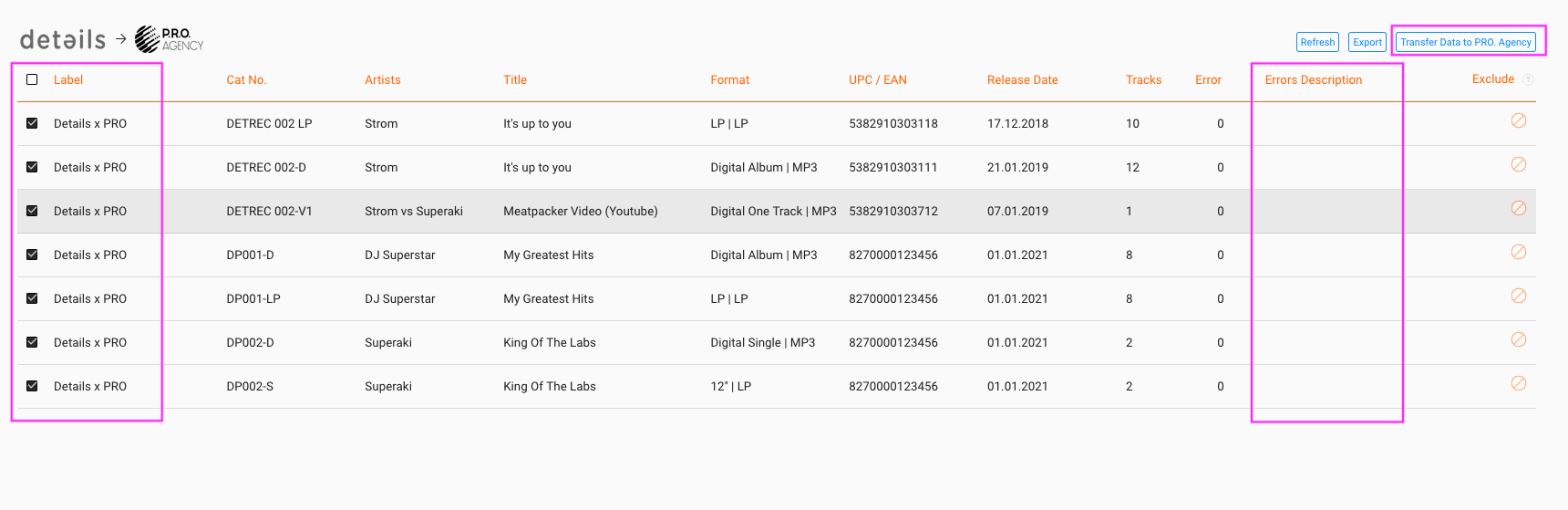
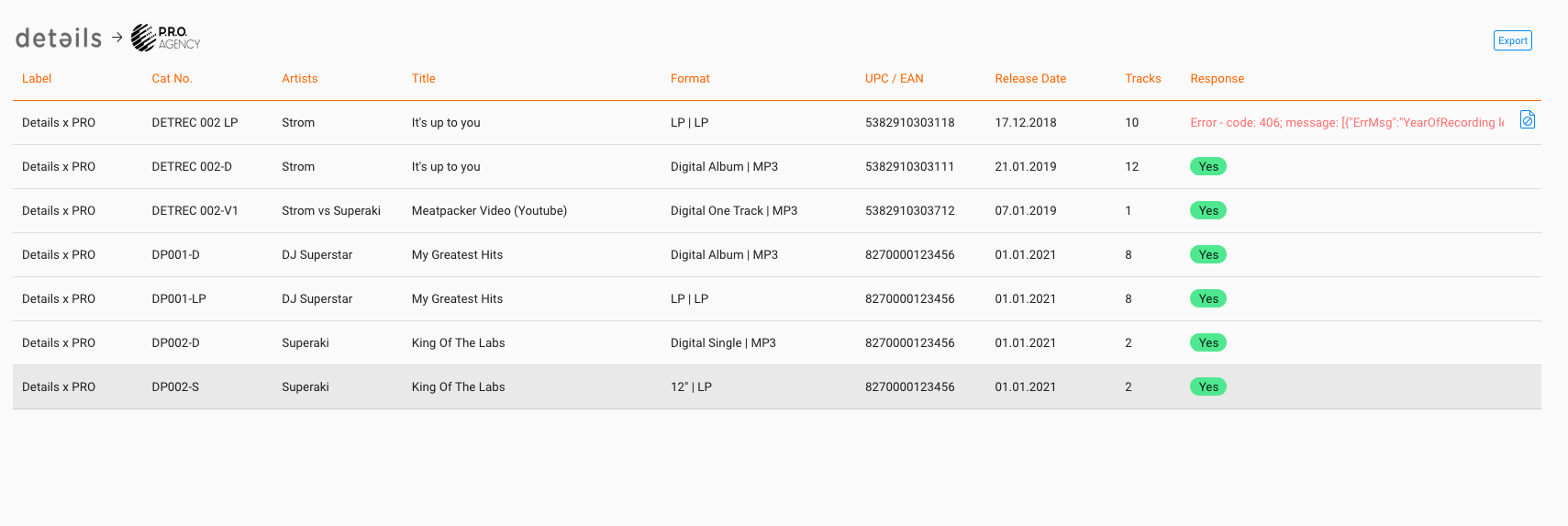
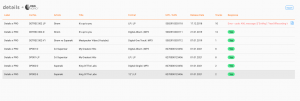
When the Error Description column is empty, click [TRANSFER DATA TO PRO AGENCY]. The response screen confirms success or provides codes:
- 200 OK delivery succeeded.
- 400 bad request, contact us or p.r.o. agency.
- 401 credentials incorrect, double-check account/token.
- 406 required metadata missing, complete data and retry.
► Data Transfer Consent
By activating and using the API for the transmission of repertoire data to p.r.o. agency, the user agrees to the declaration below. The activation of the plugin must be carried out by authorised employees.
Declaration of consent
I agree that details c/o Berlin 3 Services GmbH (SENDER) may transmit the following product and personal data electronically to Pro Agency GmbH (RECIPIENT) for the purpose of track-based repertoire registration with international collecting societies:
| Label Name | ISRCs | Name of first owner |
| Catalogue numbers | UPC / EAN Codes | Country of first owners |
| Artist Names | Release Dates | Type of Recordings (Audio/Video) |
| Release Titles | Term | Name of Distributors |
| Track Titles | Composers | Territorial rights |
| Track Numbers | Authors | Rights Ownership in % |
| Track Versions | Publishers | Genre Details |
| Track runtimes | Year of recording | |
| Formats | Country of recording |
If personal data of third parties (artist, composer, lyricist) are affected by the transmission, I guarantee and warrant that a suitable legal basis exists for me to transmit this third-party data to the RECIPIENT via the SENDER.
If consultation between the SENDER and the RECIPIENT is necessary for further processing of the data, I agree to obtain information.
I am aware that I can revoke this consent at any time without giving reasons for the future by informing Berlin 3 Services GmbH, Urbanstr. 137A, 10967 Berlin or by e-mail contact@details.eu of my revocation against the processing of my data.
Berlin 3 Services GmbH would like to point out that you have the right to information, correction, deletion, restriction of processing, data portability (Art. 15 21 GDPR), as well as the right to complain to a supervisory authority (Art. 77 GDPR).
The data protection officer of Berlin 3 Services GmbH can be reached at contact@details.eu.
Further information on data protection can be found at
https://www.details.eu/privacy/
If you need any support, please contact label_team@details.eu