The TASKS feature helps you structure complex processes in details by breaking them down into manageable steps. Assign tasks to specific team members, track progress in real time, and keep everyone aligned whether for bookings, licensing, or product logistics.
Where to Find TASKS
TASKS is part of the main menu and integrated into the following modules: BOOKING, CATALOG (RELEASES & PRODUCTS), LICENSING, and►ROYALTY (CONTRACTS).
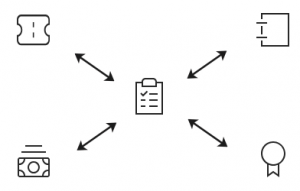
Use TASKS to plan releases, manage product supply, structure licensing procedures, or coordinate bookings. Every module allows custom sequences, status updates, and team collaboration in real time.
Key Benefits
TASKS helps you stay on top of projects, distribute responsibilities, and make internal workflows more reliable. The feature goes far beyond a simple checklist it creates clarity where things would otherwise depend on memory, experience, or Slack threads.
1. Ensuring Transparency and Structured Processes
- Real-Time Project Monitoring: TASKS replaces scattered Excel sheets or undocumented steps. Everyone can track what s completed, in progress, or pending without relying on memory.
- Collaborative Workflow: All team members see task statuses. If delays occur, others can step in or adjust their own work. Projects keep moving even during absences.
2. Customizing Task Sequences
- Workflow documentation: Build your own templates for recurring processes like releases, reports, or tour prep. These can be reused and assigned at any time.
- Scalability: Add or change steps as needed even create parallel sequences for different teams or timelines.
Inspirational TASK Lists for a Release Campaign
Here s a sample breakdown for a campaign involving singles, an album, and a tour:
► Initial Planning and Setup
- Confirm all release dates
- Set formats & packaging (CD, vinyl, digital)
- Align with artist management on release & tour
- Confirm booking agents by territory
- Coordinate publishing contacts & registrations
- Commission and approve remixes
- Finalize mastering
- Set preorder start date
► Creative and Production Setup
- Design album/single artwork
- Plan & complete photoshoots
- Provide liner notes & credits
- Create digital promo materials
- Produce music videos
- Schedule YouTube content
- Enable campaign analytics tracking
► Pre-Release Promotion
- Plan promo tours, interviews & live events
- Distribute marketing one-sheets
- Send promo copies to media & curators
► Single Release
- Arrange & approve test pressing
- Distribute promos & final product
- Launch social media campaign
- Track manufacturing, streams & sales
► Album Release
- Arrange & approve test pressing
- Place CD/LP orders
- Launch preorder campaign
- Set stock delivery dates
- Send promos to media
- Run main album campaign
- Register repertoire with PROs
► Tour Preparation
- Confirm tour dates & availability
- Launch tour campaign
- Secure brand partnerships
- Engage influencers & playlist curators
- Plan livestreams or Q&As
- Coordinate venues, travel, and merch
► Post-Release Activities
- Review tour promo results
- Evaluate release performance (sales, streams, engagement)
- Plan long-term fan retention activities
- Process and distribute royalty reports