This article gives you an overview of the CONTACTS module in details. It introduces the general layout and interface for managing contacts.
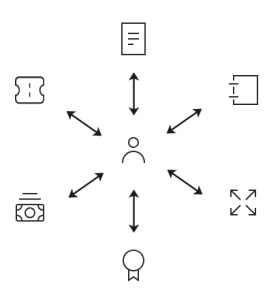
All modules in details including BOOKING, CATALOG, DISTRIBUTION, LICENCING, ROYALTY, and ACCOUNTING use a shared contact database that is maintained centrally in the CONTACTS section.
Each contact acts as a reusable business card with address and communication data. These contacts can be linked to different roles and functions across modules, making your contact management consistent and efficient throughout the system.
► 1. Contact List
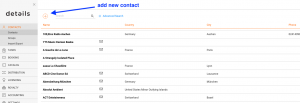
In the top menu go to CONTACTS / CONTACTS to access the full contact list. Contacts are divided into two types:
- Company Contacts
- Individual Contacts
Use the [+] button at the top right of each list to add a new contact. When creating a contact, you ll be asked to provide basic details like Name, City, and Country.
► 2. Contact Page & Tabs
Each contact has its own detail page, divided into the following subtabs:
- OVERVIEW
- ADDITIONAL INFO
- ACCOUNTING INFO
- INVOICES
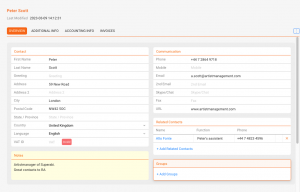
OVERVIEW
Add and edit address details, and assign the contact to CONTACT GROUPS.
ADDITIONAL INFO
Attach related files like contracts, photos, or notes. You can also export the contact as a VCF file using the [export vCard] button.
ACCOUNTING INFO
Enter accounting data like bank details and payment terms. These settings are automatically applied in connected modules.
► 3. Import, Export & Merge
On the IMPORT / MERGE subtab of the CONTACTS section, you ll find tools for importing, exporting and merging contacts. This page provides:
- IMPORT upload contacts via file
- EXPORT download all contact data
- MERGE identify and combine duplicate contacts
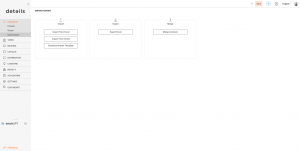
This area is designed for data management and cleanup, typically used by administrators or advanced users.
► 4. How Contacts Are Used In Other Modules
Once created, a contact can be assigned a role in various details modules, including:
All contact and accounting information will be auto-filled in relevant workflows.