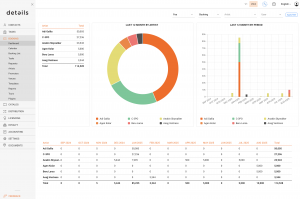
We are excited to introduce the new Dashboard, giving you instant access to key financial data for selected artists and a clear overview of both artist and agent performance at a glance.
You can find the dashboard under the Booking tab in the main menu.
The dashboard helps you review financial activity, compare performance, and filter booking-related data quickly from one central place.
Enable the Dashboard
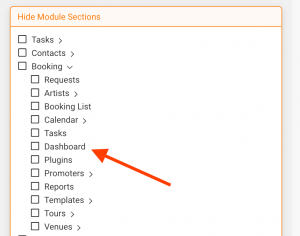
If the dashboard is disabled for your user account, it can be enabled in Settings > User Settings.
Important: This setting can only be changed by users with admin permissions.
To make the dashboard available, go to Settings > User Settings and uncheck the Dashboard box.
Dashboard Filters
You can set filters in the top right area of the dashboard. After selecting your filters, click the Apply Filter button to update the dashboard results.
| Filter | Available options | Purpose |
|---|---|---|
| Type | Fee, Booking Fee | Choose which financial value should be displayed. |
| Kind | Invoice, Payment, Booking | Choose the data source or activity type. |
| Artist | Selected artist | Filter the dashboard for one specific artist. |
| User | Agent | Filter the dashboard by responsible user or agent. |
After changing any filter, always click Apply Filter to refresh the dashboard data.